
User Manual

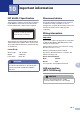

Table Of Contents
- USER’S GUIDE MFC-7420/MFC-7820N
- APPROVAL INFORMATION
- Compilation and Publication Notice
- EC Declaration of Conformity
- Safety precautions
- Quick Reference Guide
- Table of Contents
- 1 Introduction
- 2 Getting started
- Initial setup
- General Setup
- Setting the Mode Timer
- Setting the Paper Type
- Setting the Paper Size
- Setting the Ring Volume
- Setting the Beeper Volume
- Setting the Speaker Volume
- Turning on Automatic Daylight Savings Time
- Toner Save
- Sleep Time
- Setting the LCD Contrast
- Security
- TX Lock (MFC-7420 only)
- Memory Security (MFC-7820N only)
- Setting Lock
- 3 Setup Send
- 4 Setup Receive
- 5 Quick-Dial numbers and dialling options
- 6 Remote Fax Options
- 7 Printing reports
- 8 Making copies
- 9 Software and Network Features
- 10 Important information
- 11 Troubleshooting and routine maintenance
- Appendix A
- Appendix B
- Glossary
- Specifications
- Index
- Remote Retrieval Access card
- brother UK/IRE/SAF

10 - 1
10
10
IEC 60825-1 Specification
This machine is a Class 1 laser product as defined
in IEC 60825-1 specifications. The label shown
below is attached in countries where required.
This machine has a Class 3B Laser Diode which
emits invisible laser radiation in the Scanner Unit.
The Scanner Unit should not be opened under any
circumstances.
Laser Diode
Wave length: 770 - 810 nm
Output: 5 mW max.
Laser Class: Class 3B
Disconnect device
This product must be installed near an electrical
socket that is easily accessible. In case of
emergencies, you must disconnect the power cord
from the electrical socket to shut off power
completely.
Wiring information
Important
If you need to replace the plug fuse, fit a fuse that
is approved by ASTA to BS1362 with the same
rating as the original fuse.
Always replace the fuse cover. Never use a plug
that does not have a cover.
Warning - This printer must be earthed.
The wires in the mains lead are coloured in line
with the following code:
Green and Yellow:Earth
Blue: Neutral
Brown: Live
If in any doubt, call a qualified electrician.
LAN connection
(MFC-7820N only)
Important information
WARNING
Use of controls, adjustments or performance of
procedures other than those specified in this
manual may result in hazardous radiation
exposure.
CLASS 1 LASER PRODUCT
APPAREIL À LASER DE CLASSE 1
LASER KLASSE 1 PRODUKT
CAUTION
Do not connect this product to a LAN
connection that is subject to over-voltages.