
User Manual


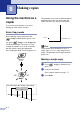
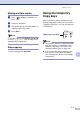
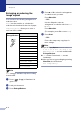

Table Of Contents
- USER’S GUIDE MFC-7420/MFC-7820N
- APPROVAL INFORMATION
- Compilation and Publication Notice
- EC Declaration of Conformity
- Safety precautions
- Quick Reference Guide
- Table of Contents
- 1 Introduction
- 2 Getting started
- Initial setup
- General Setup
- Setting the Mode Timer
- Setting the Paper Type
- Setting the Paper Size
- Setting the Ring Volume
- Setting the Beeper Volume
- Setting the Speaker Volume
- Turning on Automatic Daylight Savings Time
- Toner Save
- Sleep Time
- Setting the LCD Contrast
- Security
- TX Lock (MFC-7420 only)
- Memory Security (MFC-7820N only)
- Setting Lock
- 3 Setup Send
- 4 Setup Receive
- 5 Quick-Dial numbers and dialling options
- 6 Remote Fax Options
- 7 Printing reports
- 8 Making copies
- 9 Software and Network Features
- 10 Important information
- 11 Troubleshooting and routine maintenance
- Appendix A
- Appendix B
- Glossary
- Specifications
- Index
- Remote Retrieval Access card
- brother UK/IRE/SAF

Making copies
8 - 2
8
Making multiple copies
1 Press (Copy) to illuminate it in
green.
2
Load your document.
3
Use the dial pad to enter the number of
copies you want (up to 99).
4 Press Start.
Note
To sort the copies, press Options and ▲ or ▼
to select
Stack/Sort. (See Sorting copies
using the ADF on page 8-5.)
Stop copying
To stop copying, press Stop/Exit.
Using the temporary
Copy keys
When you want to quickly change the copy
settings temporarily for the next copy, use the
Temporary Copy keys. You can use different
combinations.
Note
■ The machine returns to its default settings
after 60 seconds, or if the Mode Timer
returns the machine to Fax mode. (See
Setting the Mode Timer on page 2-4.)
■ You can save the copy settings you use
most often by setting them as default.
(See Changing the default copy settings
on page 8-8.)
Temporary Copy keys