
User Manual

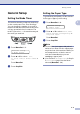
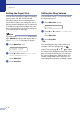

Table Of Contents
- USER’S GUIDE MFC-7420/MFC-7820N
- APPROVAL INFORMATION
- Compilation and Publication Notice
- EC Declaration of Conformity
- Safety precautions
- Quick Reference Guide
- Table of Contents
- 1 Introduction
- 2 Getting started
- Initial setup
- General Setup
- Setting the Mode Timer
- Setting the Paper Type
- Setting the Paper Size
- Setting the Ring Volume
- Setting the Beeper Volume
- Setting the Speaker Volume
- Turning on Automatic Daylight Savings Time
- Toner Save
- Sleep Time
- Setting the LCD Contrast
- Security
- TX Lock (MFC-7420 only)
- Memory Security (MFC-7820N only)
- Setting Lock
- 3 Setup Send
- 4 Setup Receive
- 5 Quick-Dial numbers and dialling options
- 6 Remote Fax Options
- 7 Printing reports
- 8 Making copies
- 9 Software and Network Features
- 10 Important information
- 11 Troubleshooting and routine maintenance
- Appendix A
- Appendix B
- Glossary
- Specifications
- Index
- Remote Retrieval Access card
- brother UK/IRE/SAF

Getting started
2 - 4
2
General Setup
Setting the Mode Timer
The machine has three temporary mode keys
on the control panel: Fax, Scan and Copy.
You can change the number of seconds or
minutes the machine takes after the last Scan
or Copy operation before it returns to Fax
mode. If you select
Off, the machine stays in
the mode you used last.
1
Press Menu/Set, 1, 1.
2
Press ▲ or ▼ to select 0 Sec,
30 Secs, 1 Min, 2 Mins, 5 Mins or
Off.
Press Menu/Set.
3
Press Stop/Exit.
Setting the Paper Type
To get the best print quality, set the machine
for the type of paper you are using.
1
Press Menu/Set, 1, 2.
2
Press ▲ or ▼ to select Plain, Thin,
Thick, Thicker, Transparency or
Recycled Paper.
Press Menu/Set.
3
Press Stop/Exit.
Note
■ The machine ejects paper with printed
surfaces face down onto the output paper
tray in the front of the machine. When you
use transparencies or labels, remove
each sheet immediately to prevent
smudging or paper jams.
■ You can select Transparency in Step 2
if
Letter or A4 paper size has been
selected (Menu/Set, 1, 3).
General Setup
1.Mode Timer
General Setup
2.Paper Type