
User Manual






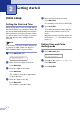
Table Of Contents
- USER’S GUIDE MFC-7420/MFC-7820N
- APPROVAL INFORMATION
- Compilation and Publication Notice
- EC Declaration of Conformity
- Safety precautions
- Quick Reference Guide
- Table of Contents
- 1 Introduction
- 2 Getting started
- Initial setup
- General Setup
- Setting the Mode Timer
- Setting the Paper Type
- Setting the Paper Size
- Setting the Ring Volume
- Setting the Beeper Volume
- Setting the Speaker Volume
- Turning on Automatic Daylight Savings Time
- Toner Save
- Sleep Time
- Setting the LCD Contrast
- Security
- TX Lock (MFC-7420 only)
- Memory Security (MFC-7820N only)
- Setting Lock
- 3 Setup Send
- 4 Setup Receive
- 5 Quick-Dial numbers and dialling options
- 6 Remote Fax Options
- 7 Printing reports
- 8 Making copies
- 9 Software and Network Features
- 10 Important information
- 11 Troubleshooting and routine maintenance
- Appendix A
- Appendix B
- Glossary
- Specifications
- Index
- Remote Retrieval Access card
- brother UK/IRE/SAF

2 - 1
2
Initial setup
Setting the Date and Time
When the machine is not in use it will display
the date and time. If you set up the Station ID
the date and time displayed by your machine
will be printed on every fax you send. If there
is a power failure, you may have to reset the
date and time. No other settings will be
affected.
Note
Your machine can store the date and time up
to 2 hours (for MFC-7420) or 4 days (for
MFC-7820N) if there is a power failure.
1
Press Menu/Set, 0, 2.
2
Enter the last two digits of the year.
Press Menu/Set.
3
Enter two digits for the month.
Press Menu/Set.
(For example, enter 09 for September,
or 10 for October.)
4
Enter two digits for the day.
Press Menu/Set.
(For example, enter 06 for 6th.)
5
Enter the time in 24-Hour format.
Press Menu/Set.
(For example, enter 15:25 for 3:25 P.M.)
6
Press Stop/Exit.
The LCD now shows the date and time
whenever the machine is idle in Fax
mode.
When the machine is in Sleep mode, the
LCD shows
Sleep. (See Sleep Time on
page 2-7.)
Setting Tone and Pulse
dialling mode
1
Press Menu/Set, 0, 4.
2
Press ▲ or ▼ to select Pulse (or Tone).
Press Menu/Set.
3
Press Stop/Exit.
Getting started
Initial Setup
2.Date/Time
Initial Setup
4.Tone/Pulse