
User Manual





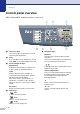
Table Of Contents
- USER’S GUIDE MFC-7420/MFC-7820N
- APPROVAL INFORMATION
- Compilation and Publication Notice
- EC Declaration of Conformity
- Safety precautions
- Quick Reference Guide
- Table of Contents
- 1 Introduction
- 2 Getting started
- Initial setup
- General Setup
- Setting the Mode Timer
- Setting the Paper Type
- Setting the Paper Size
- Setting the Ring Volume
- Setting the Beeper Volume
- Setting the Speaker Volume
- Turning on Automatic Daylight Savings Time
- Toner Save
- Sleep Time
- Setting the LCD Contrast
- Security
- TX Lock (MFC-7420 only)
- Memory Security (MFC-7820N only)
- Setting Lock
- 3 Setup Send
- 4 Setup Receive
- 5 Quick-Dial numbers and dialling options
- 6 Remote Fax Options
- 7 Printing reports
- 8 Making copies
- 9 Software and Network Features
- 10 Important information
- 11 Troubleshooting and routine maintenance
- Appendix A
- Appendix B
- Glossary
- Specifications
- Index
- Remote Retrieval Access card
- brother UK/IRE/SAF

Chapter 1
1 - 5
Control panel overview
MFC-7420 and MFC-7820N have similar control keys.
5
1
One-Touch Keys
These 4 keys give you instant access to 8
previously stored numbers.
2
Shift
To access One-Touch numbers 5 to 8, hold
down Shift as you press the One-Touch key.
3
Fax and telephone keys:
Redial/Pause
Redials the last number you called. It also
inserts a pause in quick dial numbers.
Tel/R
This key is used to have a telephone
conversation after picking up the external
handset in F/T pseudo-ringing.
Also, use this key to gain access to an
outside line, or transfer a call to another
extension when it is connected to a PABX
(PBX).
Resolution
Sets the resolution when you send a fax.
4
Mode keys:
Fax
Lets you access Fax mode.
Scan
Lets you access Scan mode.
Copy
Lets you access Copy mode.
5
Navigation keys:
Menu/Set
The same key is used for Menu and Set
operations.
Lets you access the Menu to program and
store your settings in the machine.
In standby mode you can press these keys to
adjust the ring volume.
▼
Search/Speed Dial
Lets you look up numbers that are stored in
the dialling memory. It also lets you dial
stored numbers by pressing # and a
three-digit number.
Press to scroll forward or backward to a
menu selection.
▲
or
▼
Press to scroll through the menus and
options.
▲
▲