
User Manual

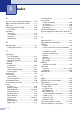

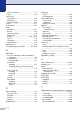


Table Of Contents
- USER’S GUIDE MFC-7420/MFC-7820N
- APPROVAL INFORMATION
- Compilation and Publication Notice
- EC Declaration of Conformity
- Safety precautions
- Quick Reference Guide
- Table of Contents
- 1 Introduction
- 2 Getting started
- Initial setup
- General Setup
- Setting the Mode Timer
- Setting the Paper Type
- Setting the Paper Size
- Setting the Ring Volume
- Setting the Beeper Volume
- Setting the Speaker Volume
- Turning on Automatic Daylight Savings Time
- Toner Save
- Sleep Time
- Setting the LCD Contrast
- Security
- TX Lock (MFC-7420 only)
- Memory Security (MFC-7820N only)
- Setting Lock
- 3 Setup Send
- 4 Setup Receive
- 5 Quick-Dial numbers and dialling options
- 6 Remote Fax Options
- 7 Printing reports
- 8 Making copies
- 9 Software and Network Features
- 10 Important information
- 11 Troubleshooting and routine maintenance
- Appendix A
- Appendix B
- Glossary
- Specifications
- Index
- Remote Retrieval Access card
- brother UK/IRE/SAF

Index
I - 2
F
Fax codes
changing ...................................... 6-4, A-3
Fax Receive Code ...............................A-2
Remote Access Code ..........................6-4
Telephone Answer Code .....................A-2
Fax Forwarding
changing remotely .........................6-5, 6-6
programming a number ........................6-1
Fax Storage .............................................6-1
printing from memory ...........................4-4
turning on .............................................6-1
Fax, sending
from ADF ..............................................3-3
from scanner glass ...............................3-3
Fax, stand-alone
receiving ...............................................4-1
compatibility .................................. 11-20
Fax Forwarding .................................6-1
from extension phone .......................A-2
reducing to fit on paper .....................4-4
retrieving from a remote site .............6-6
Ring Delay, setting ............................4-2
sending ................................................ 3-1
automatic .......................................... 3-4
Broadcasting ..................................... 3-7
canceling from memory .....................3-8
compatibility .................................. 11-20
contrast .............................................3-5
enter Fax mode .................................3-1
from ADF ...........................................3-3
from memory (Dual Access) ......3-2, 3-6
from scanner glass ............................ 3-3
overseas .........................................3-11
Real Time Transmission ...................3-7
resolution ..........................................3-6
Fax/Tel mode
answering at extension phones ...........A-2
double-ringing (voice calls) .................. 4-3
F/T Ring Time ......................................4-3
Fax Receive Code ...............................A-2
receiving faxes .....................................A-2
Ring Delay ...........................................4-2
Telephone Answer Code .....................A-2
G
Gray scale ....................................... S-4, S-5
Groups for Broadcasting ......................... 5-3
H
HELP
LCD messages .................................... B-1
using navigation keys ....................... B-2
Menu Table ..................................B-1, B-3
J
Jacks
EXT
external telephone ............................ A-4
TAD (answering machine) ................ A-4
Jams
document ............................................11-6
paper ..................................................11-6
L
LCD (liquid crystal display) ..............B-1, B-2
Help List ...............................................7-2
M
Maintenance, routine ...........................11-21
Manual
dialling ..................................................3-1
receive ..................................................4-1
Memory Security ......................................2-9
Memory Storage ..................................... B-1
Menu Selection Table ............................. B-1
Mode, entering
Copy .....................................................8-1
Fax .......................................................3-1
Scan .....................................................1-5
Multi-line connections (PBX) .................. A-6
O
One-Touch
changing ...............................................5-2
setting up ..............................................5-1
using .....................................................3-1
Out of Memory message .........................3-4
P
Paging
programming your pager number .........6-1
Paper ............................................... 1-9, S-2
Size ......................................................2-5