
User Manual
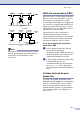



Table Of Contents
- USER’S GUIDE MFC-7420/MFC-7820N
- APPROVAL INFORMATION
- Compilation and Publication Notice
- EC Declaration of Conformity
- Safety precautions
- Quick Reference Guide
- Table of Contents
- 1 Introduction
- 2 Getting started
- Initial setup
- General Setup
- Setting the Mode Timer
- Setting the Paper Type
- Setting the Paper Size
- Setting the Ring Volume
- Setting the Beeper Volume
- Setting the Speaker Volume
- Turning on Automatic Daylight Savings Time
- Toner Save
- Sleep Time
- Setting the LCD Contrast
- Security
- TX Lock (MFC-7420 only)
- Memory Security (MFC-7820N only)
- Setting Lock
- 3 Setup Send
- 4 Setup Receive
- 5 Quick-Dial numbers and dialling options
- 6 Remote Fax Options
- 7 Printing reports
- 8 Making copies
- 9 Software and Network Features
- 10 Important information
- 11 Troubleshooting and routine maintenance
- Appendix A
- Appendix B
- Glossary
- Specifications
- Index
- Remote Retrieval Access card
- brother UK/IRE/SAF

Appendix A
A - 6
Note
These phones are now connected as external
devices as per page A-3, because they are
connected to the fax machine via the
T-connector.
Multi-line connections (PBX)
Most offices use a central telephone system.
While it is often relatively simple to connect
the machine to a key system or a PBX
(Private Branch Exchange), we suggest that
you contact the company that installed your
telephone system and ask them to connect
the machine for you. It is advisable to have a
separate line for the machine.
If the machine is to be connected to a
multi-line system, ask your installer to
connect the unit to the last line on the system.
This prevents the unit from being activated
each time a telephone call is received.
If you are installing the machine to
work with a PBX
1
It is not guaranteed that the unit will
operate properly under all
circumstances with a PBX. Any cases of
difficulty should be reported first to the
company that handles your PBX.
2
If all incoming calls will be answered by
a switchboard operator, it is
recommended that the Receive Mode
be set to
Manual. All incoming calls
should initially be regarded as telephone
calls.
Custom features on your
phone line
If you have Voice Mail, Call Waiting, Call
Waiting/Caller ID, RingMaster, an answering
service, an alarm system or other custom
feature on one phone line it may create a
problem with the operation of your machine.
(See Custom features on a single line. on
page 11-12.)
FAX
EXTENSION
SOCKET
EXTENSION
SOCKET
MASTER
SOCKET
INCOMING
LINE
INADVISABLE CONNECTION OF EXTENSION SOCKETS
Fig. 1.
EXTENSION
SOCKET
EXTENSION
SOCKET
MASTER
SOCKET
INCOMING
LINE
RECOMMENDED CONNECTION OF EXTENSION SOCKETS
Fig. 2.
FAX
FAX MACHINE MUST BE PLUGGED
INTO MASTER SOCKET
DISCONNECT