
User Manual

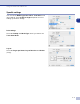
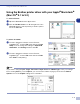

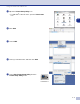
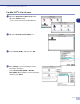

Table Of Contents
- SOFTWARE USER’S GUIDE
- Table of Contents
- 1 Using the machine as a printer
- Using the Brother printer driver
- How to print your document
- Simultaneous printing and faxing
- Printer operation key
- Printer driver settings (For Windows®)
- How to access the printer driver settings (For Windows®)
- Features in the PCL printer driver (For Windows®)
- Features in the PS (PostScript®) Brother printer driver (DCP-7025, MFC-7225N and MFC-7820N only) (For Windows®)
- Status Monitor (Windows® only)
- 2 How to scan using Windows®
- Scanning a document using WIA driver (For Windows® XP only)
- Scanning a document using the TWAIN driver
- Using the Scan key (For USB or Parallel cable users)
- Using ScanSoft® PaperPort® 9.0SE and OmniPage® OCR
- 3 Using ControlCenter2.0 (For Windows®)
- 4 Using MFC Remote Setup (For Windows®) (not available for DCP-7010 and DCP-7025)
- 5 Using Brother PC-FAX software (For Windows®) (not available for DCP-7010 and DCP-7025)
- PC-FAX sending
- Speed-Dial setup
- Brother Address Book
- Setting up a Member in the Address Book
- Setting up a Group for Broadcasting
- Editing Member information
- Deleting a Member or Group
- Exporting the Address Book
- Importing to the Address Book
- Sending a file as a PC-FAX using the Facsimile style user interface
- Sending a file as a PC-FAX using the Simple style user interface
- Setting up PC-FAX receiving
- 6 Network Scanning (For Windows®) (MFC-7225N, MFC-7820N or models with the optional NC-2200w Only)
- 7 Using your machine with a Macintosh®
- Setting up your USB-equipped Apple® Macintosh®
- Using the Brother printer driver with your Apple® Macintosh® (Mac OS® X)
- Using the Brother printer driver with your Apple® Macintosh® (Mac OS® 9.1 to 9.2)
- Using the PS driver with your Apple® Macintosh® (DCP-7025, MFC-7225N and MFC-7820N only)
- Sending a fax from your Macintosh® application (not available for DCP-7010 and DCP-7025)
- Scanning from a Macintosh®
- Configuring Network Scanning
- Using Presto!® PageManager®
- Using ControlCenter2.0 (For Mac OS® X 10.2.4 or greater)
- MFC Remote Setup (Mac OS® X 10.2.4 or greater) (not available for DCP-7010 and DCP-7025)
- Index
- brother UK/IRE

Using your machine with a Macintosh
®
7 - 8
7
5
Click
Change...
in the
USB Printer Selection
.
Select
Brother MFC-XXXX
or
Brother
DCP-XXXX
(Where XXXX is your model name),
and then click
OK
.
6
Click
Create...
.
7
Enter your model name, and then click
Save
.
8
Select
Quit
from the
File
menu.
9
Click the
MFC-XXXX
or
DCP-XXXX
icon on the Desktop.
0
Select
Set Default Printer
from the
Printing
menu.