
User Manual


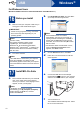
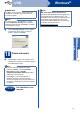
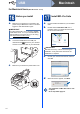

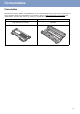

Table Of Contents
- Quick Setup Guide FAX-2890/FAX-2990/MFC-7290
- Start Here
- 1 Unpack the machine and check the components
- 2 Remove the packing material from the machine
- 3 Attach the ADF Document Output Support
- 4 Install the Handset
- 5 Load paper in the paper tray
- 6 Connect the power cord and telephone line
- 7 Choose your language (If needed)
- 8 Set the LCD contrast (if needed)
- 9 Set the date and time
- 10 Enter personal information (Station ID)
- 11 Fax Transmission Report
- 12 Set tone or pulse dialling mode
- 13 Set the telephone line compatibility
- 14 Dial Prefix
- 15 Choose your Operating System
- For Windows® Users (Windows® XP/XP Professional x64 Edition/Windows Vista®/Windows® 7)
- For Macintosh Users (Mac OS X 10.5.8 - 10.7.x)
- Other Information
- Consumables
- Start Here

11
Windows
®
USB
Macintosh
15
Choose your Operating System
These installation instructions are for Windows
®
XP Home/Windows
®
XP Professional, Windows
®
XP
Professional x64 Edition, Windows Vista
®
, Windows
®
7, and Mac OS X (versions 10.5.8, 10.6.x, 10.7.x).
Note
• You can visit us at http://solutions.brother.com/ where you can get product support, the latest driver updates
and utilities, and answers to frequently asked questions (FAQs) and technical questions.
• For Linux
®
, visit your model page at http://solutions.brother.com/.
Windows
®
, go to page 12
Macintosh, go to page 14