
User Manual


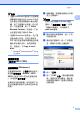




Table Of Contents

一般資訊
5
1
獲取 Brother 支援
(Windows
®
) ( 僅限 MFC-
7290)
1
您可以從隨機光碟中搜尋所需的全部
聯絡資訊,如 Web 支援 (Brother
Solutions Center)。
按一下主選單上的 Brother 支援。
以下畫面將會顯示:
若要瀏覽我們的網站 (http://
www.brother.com/),請按一下
Brother 首頁。
若要獲取最新消息和產品支援資訊
(http://solutions.brother.com/),請
按一下 Brother Solutions
Center。
若要瀏覽我們的網站以獲取有關
Brother 原廠耗材的資訊 (http://
www.brother.com/original/),請按
一下耗材資訊。
若要瀏覽 Brother CreativeCenter
(http://www.brother.com/
creativecenter/) 以滿足您對免費照
片專案及可列印下載的需求,請按
一下 Brother CreativeCenter。
若要返回主頁,請按一下返回。
如果您已完成操作,請按一下退出。
獲取 Brother 支援
(Macintosh) ( 僅限 MFC-
7290)
1
您可以從隨機光碟中搜尋所需的全部
聯絡資訊,如 Web 支援。
按兩下 Brother 支援圖示。 以下畫
面將會顯示:
若要下載和安裝 Presto!
PageManager,請按一下 Presto!
PageManager。
若要獲取最新消息和產品支援資訊
(http://solutions.brother.com/),請
按一下 Brother Solutions
Center。
若要瀏覽我們的網站以獲取有關
Brother 原廠耗材的資訊 (http://
www.brother.com/original/),請按
一下耗材資訊。