
User Manual

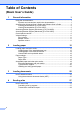

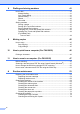



Table Of Contents
- Basic User’s Guide FAX-2840/FAX-2950
- User’s Guides and where do I find them?
- Download optional software from the Brother Solutions Center (FAX-2840 users only)
- Table of Contents
- 1 General information
- 2 Loading paper
- 3 Loading documents
- 4 Sending a fax
- 5 Receiving a fax
- 6 Using PC-FAX (For FAX-2950)
- 7 Telephone and external devices
- 8 Dialling and storing numbers
- 9 Making copies
- 10 How to print from a computer (For FAX-2950)
- 11 How to scan to a computer (For FAX-2950)
- A Routine maintenance
- B Troubleshooting
- C Menu and features
- D Specifications
- Index

iii
5 Receiving a fax 29
Receive modes....................................................................................................29
Choosing the receive mode...........................................................................29
Using receive modes ...........................................................................................30
Fax Only ........................................................................................................30
Fax/Tel...........................................................................................................30
Manual...........................................................................................................30
External TAD .................................................................................................30
Receive Mode settings ........................................................................................31
Ring Delay .....................................................................................................31
F/T Ring Time (Fax/Tel mode only)...............................................................31
Fax Detect .....................................................................................................32
6 Using PC-FAX (For FAX-2950) 33
PC-Fax Receive (For Windows
®
only) ................................................................33
PC-Fax Send .......................................................................................................34
How to send a PC-FAX: ................................................................................34
7 Telephone and external devices 35
Voice operations
(Middle East only).............................................................................................35
Making a telephone call.................................................................................35
Mute...............................................................................................................35
Telephone line services.......................................................................................35
Setting the telephone line type ......................................................................35
Connecting an external TAD ...............................................................................36
Connections...................................................................................................36
Recording an outgoing message (OGM).......................................................37
Multi-line connections (PBX) .........................................................................37
External and extension telephones......................................................................38
Connecting an external or extension telephone ............................................38
Operation from external or extension telephones..........................................38
For Fax/Tel mode only...................................................................................38
Using a non-Brother cordless external handset ............................................39
Using Remote Codes ....................................................................................39