
User Manual

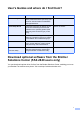
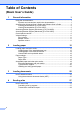

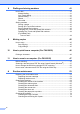



Table Of Contents
- Basic User’s Guide FAX-2840/FAX-2950
- User’s Guides and where do I find them?
- Download optional software from the Brother Solutions Center (FAX-2840 users only)
- Table of Contents
- 1 General information
- 2 Loading paper
- 3 Loading documents
- 4 Sending a fax
- 5 Receiving a fax
- 6 Using PC-FAX (For FAX-2950)
- 7 Telephone and external devices
- 8 Dialling and storing numbers
- 9 Making copies
- 10 How to print from a computer (For FAX-2950)
- 11 How to scan to a computer (For FAX-2950)
- A Routine maintenance
- B Troubleshooting
- C Menu and features
- D Specifications
- Index

i
User’s Guides and where do I find them?
Download optional software from the Brother
Solutions Center (FAX-2840 users only)
You can download a printer driver for free from the Brother Solutions Center, enabling you to use
your Brother Fax machine as a printer. Visit us at http://solutions.brother.com/.
Which Guide? What’s in it? Where is it?
Product Safety Guide Read this Guide first. Please read the
Safety Instructions before you set up your
machine. See this Guide for trademarks
and legal limitations.
Printed / In the Box
Quick Setup Guide Follow the instructions for setting up your
machine and installing the drivers and
software for the operating system (FAX-
2950 only) and connection type you are
using.
Printed / In the Box
Basic User’s Guide Learn the basic Fax, Copy and Scan (FAX-
2950 only) operations and how to replace
consumables. See troubleshooting tips.
Printed / In the Box
Advanced User’s Guide Learn more advanced operations: Fax,
Copy, security features, printing reports
and performing routine maintenance.
PDF file / CD-ROM / In the Box
Software User’s Guide
(For FAX-2950)
Follow these instructions for Printing,
Scanning, Remote Setup, PC-Fax and
using the Brother ControlCenter utility.
PDF file / CD-ROM / In the Box