
User Manual


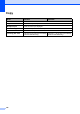




Table Of Contents
- Basic User’s Guide FAX-2840/FAX-2950
- User’s Guides and where do I find them?
- Download optional software from the Brother Solutions Center (FAX-2840 users only)
- Table of Contents
- 1 General information
- 2 Loading paper
- 3 Loading documents
- 4 Sending a fax
- 5 Receiving a fax
- 6 Using PC-FAX (For FAX-2950)
- 7 Telephone and external devices
- 8 Dialling and storing numbers
- 9 Making copies
- 10 How to print from a computer (For FAX-2950)
- 11 How to scan to a computer (For FAX-2950)
- A Routine maintenance
- B Troubleshooting
- C Menu and features
- D Specifications
- Index

Specifications
127
D
Scanner (For FAX-2950) D
1
For the latest driver updates for the Mac OS X you are using, visit us at http://solutions.brother.com/.
2
Maximum 1200 x 1200 dpi scanning with the WIA driver in Windows® XP, Windows Vista® and Windows® 7
(resolution up to 19200 × 19200 dpi can be chosen by using the scanner utility)
Model FAX-2950
Color/Monochrome Monochrome
TWAIN Compliant
Yes (Windows
®
XP / Windows
®
XP Professional x64
Edition / Windows Vista
®
/ Windows
®
7 / Mac OS X 10.5.8,
10.6.x, 10.7.x
1
)
WIA Compliant
Yes (Windows
®
XP / Windows Vista
®
/ Windows
®
7)
ICA Compliant
Yes (Mac OS X 10.6.x and 10.7.x
1
)
Resolution
Up to 19200 19200 dpi (interpolated)
2
Up to 600 600 dpi (optical)
2
Scanning Width Max. 204 mm
Gray Scale 256 levels