
User Manual


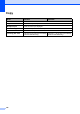

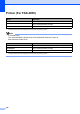


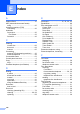
Table Of Contents
- Basic User’s Guide FAX-2840/FAX-2950
- User’s Guides and where do I find them?
- Download optional software from the Brother Solutions Center (FAX-2840 users only)
- Table of Contents
- 1 General information
- 2 Loading paper
- 3 Loading documents
- 4 Sending a fax
- 5 Receiving a fax
- 6 Using PC-FAX (For FAX-2950)
- 7 Telephone and external devices
- 8 Dialling and storing numbers
- 9 Making copies
- 10 How to print from a computer (For FAX-2950)
- 11 How to scan to a computer (For FAX-2950)
- A Routine maintenance
- B Troubleshooting
- C Menu and features
- D Specifications
- Index

Specifications
125
D
Fax D
1
‘Pages’ refers to the ‘ITU-T Test Chart #1’ (a typical business letter, Standard resolution, JBIG code). Specifications
and printed materials are subject to change without prior notice.
Model FAX-2840 FAX-2950
Compatibility ITU-T Super Group 3
Modem Speed 33,600 bps (with Automatic Fallback)
Scanning Width Max. 208 mm
Printing Width Max. 208 mm
Greyscale 8 bit/256 levels
Resolution Horizontal 8 dot/mm
Vertical Standard: 3.85 line/mm
Fine: 7.7 line/mm
Photo: 7.7 line/mm
Superfine: 15.4 line/mm
One Touch Dial 22 (11 2)
Speed Dial 200 stations
Groups Up to 8
Broadcasting 272 stations
Automatic Redial 3 times at 5 minute intervals
Memory Transmission
Up to 400
1
pages Up to 500
1
pages
Out of Paper Reception
Up to 400
1
pages Up to 500
1
pages