
User Manual
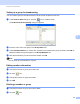



Table Of Contents
- Software User’s Guide
- Applicable models
- Definitions of notes
- Compilation and publication notice
- IMPORTANT NOTE
- Table of Contents
- Section I: Machine operation keys
- Section II: Windows®
- 2 Printing
- 3 Scanning
- Scanning a document using the TWAIN driver
- Scanning a document using the WIA driver
- Scanning a document using the WIA driver (Windows Photo Gallery and Windows Fax and Scan)
- Using Nuance™ PaperPort™ 12SE
- 4 ControlCenter4
- 5 Remote Setup
- 6 Brother PC-FAX Software
- Section III: Apple Macintosh
- 7 Printing and Faxing
- 8 Scanning
- 9 ControlCenter2
- 10 Remote Setup
- Section IV: Using the Scan key
- Index

Brother PC-FAX Software
84
6
Brother Address Book 6
a Click the Start button, All Programs, Brother, MFC-XXXX (where XXXX is your model name),
PC-FAX Sending, then PC-FAX Address Book.
The Address Book dialog box appears:
Setting up a member in the Address Book 6
In the Address Book dialog box you can add, edit and delete members and groups.
a In the Address Book dialog box, click the icon to add a member.
The Address Book Member Setup dialog box appears:
b In the Member Setup dialog box, enter the member’s information. Name is a required field. Click OK to
save the information.