
User Manual


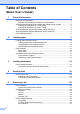
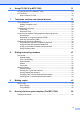


Table Of Contents
- Basic User’s Guide FAX-2840/MFC-7290
- User’s Guides and where do I find them?
- Download optional software from the Brother Solutions Center (FAX-2840 users)
- Table of Contents
- 1 General information
- 2 Loading paper
- 3 Loading documents
- 4 Sending a fax
- 5 Receiving a fax
- 6 Using PC-FAX (For MFC-7290)
- 7 Telephone services and external devices
- 8 Dialing and storing numbers
- 9 Making copies
- 10 How to print from your computer (For MFC-7290)
- 11 How to scan to a computer (MFC-7290 only)
- A Routine maintenance
- B Troubleshooting
- C Menu and features
- D Specifications
- E Appendix
- Index

iii
6 Using PC-FAX (For MFC-7290) 31
PC-Fax Receive (For Windows
®
only) ................................................................31
PC-Fax Send .......................................................................................................32
How to send a PC-FAX: ................................................................................32
7 Telephone services and external devices 33
Voice operations .................................................................................................33
Making a telephone call.................................................................................33
Hold ...............................................................................................................33
Telephone line services.......................................................................................33
Voice Mail......................................................................................................33
Distinctive Ring..............................................................................................34
Connecting an external TAD (telephone answering device)................................37
Connections...................................................................................................37
Recording an outgoing message (OGM).......................................................38
Multi-line connections (PBX) .........................................................................38
External and extension telephones......................................................................38
Connecting an external or extension telephone ............................................38
Using external and extension telephones .....................................................39
Using a non-Brother cordless external handset ............................................39
Using Remote Codes ....................................................................................39
8 Dialing and storing numbers 41
How to dial...........................................................................................................41
Manual dialing ...............................................................................................41
One Touch dialing .........................................................................................41
Speed Dialing ................................................................................................41
Search ...........................................................................................................42
Fax redial.......................................................................................................42
Storing numbers ..................................................................................................42
Storing a pause .............................................................................................42
Storing One Touch Dial numbers ..................................................................43
Storing Speed Dial numbers..........................................................................43
Changing One Touch and Speed Dial numbers............................................44
Deleting One Touch and Speed Dial numbers ..............................................44
9 Making copies 45
How to copy.........................................................................................................45
Stop copying..................................................................................................45
Copy settings.................................................................................................45
10 How to print from your computer (For MFC-7290) 46
Printing a document.............................................................................................46