
User`s guide



ControlCenter4
68
4
a Select the PC-FAX tab.
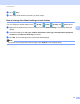
b Click (View Received PC-FAX).
c The PC-FAX receiving function activates and starts to receive fax data from your machine. The received
data will appear. To view the data, click (View).
d If you want to print the received data, select the data and then click (Print).
e Configure the print settings and then click (Start Printing).