
User`s guide



Scanning
33
3
g In the PaperPort™ 12SE window, use the options available to refine the image.
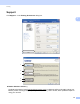
Settings in the Scanner Setup dialog box 3
Scan (Image Type) 3
Choose the output image type from Photo, Web or Text. Resolution and Scan Type will be altered for each
default setting.
The default settings are listed in the table below:
Resolution 3
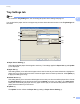
You can choose a scanning resolution from the Resolution drop-down list. Higher resolutions take more
memory and transfer time, but produce a finer scanned image. The following table shows the resolutions you
can choose.
Scan Type 3
Black & White
Use for text or line art.
Gray (Error Diffusion)
Use for photographic images or graphics. (Error Diffusion is a method for creating simulated gray images
without using true gray dots. Black dots are put in a specific pattern to give a gray appearance.)
Scan (Image Type) Resolution Scan Type
Photo Use for scanning photo images. 300 x 300 dpi True Gray
Web Use for attaching the scanned image to web pages. 100 x 100 dpi True Gray
Text Use for scanning text documents. 200 x 200 dpi Black & White
Resolution Black & White/
Gray (Error
Diffusion)/True Gray
100 x 100 dpi Yes
150 x 150 dpi Yes
200 x 200 dpi Yes
300 x 300 dpi Yes
400 x 400 dpi Yes
600 x 600 dpi Yes
1200 x 1200 dpi Yes
2400 x 2400 dpi Yes
4800 x 4800 dpi Yes
9600 x 9600 dpi Yes
19200 x 19200 dpi Yes