Printing and Faxing
104
7
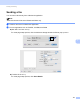
Removing the Printer driver for Macintosh 7
a Log in as an ‘Administrator’.
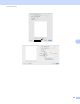
b From the Apple menu, choose System Preferences. Click Print & Fax or Print & Scan, then choose
the printer you want to remove and remove it by clicking the - button.