
User's Manual



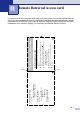

Table Of Contents
- USER’S GUIDE FAX-2820/FAX-2910/FAX-2920/MFC-7220/MFC-7225N
- Brother numbers
- Ordering accessories and supplies
- Safety precautions
- Quick Reference Guide
- Table of Contents
- 1 Introduction
- 2 Getting started
- Initial setup
- General Setup
- Setting the Mode Timer (FAX-2820, FAX-2910 and FAX-2920 only)
- Setting the Mode Timer (MFC-7220 and MFC-7225N only)
- Setting the Paper Type
- Setting the Paper Size
- Setting the Ring Volume
- Setting the Beeper Volume
- Setting the Speaker Volume
- Setting the Handset Volume
- Choosing the Handset Volume (For Volume Amplify)
- Setting Volume Amplify
- Turning on Automatic Daylight Savings Time
- Toner Save
- Sleep Time
- Setting the LCD Contrast
- Security
- TX Lock (FAX-2820, FAX-2910 and MFC-7220 only)
- Memory Security (FAX-2920 and MFC-7225N only)
- Setting Lock
- 3 Setup Send
- 4 Setup Receive
- 5 Quick-Dial numbers and dialing options
- 6 Remote Fax Options
- 7 Printing reports
- 8 Making copies
- 9 Software and Network Features (MFC-7220 and MFC-7225N only)
- 10 Important information
- Standard telephone and FCC Notices These notices are in effect on models sold and used in the United States only.
- Federal Communications Commission (FCC) Declaration of Conformity (USA only)
- Industry Canada Compliance Statement (Canada only)
- Disconnect device
- LAN connection (MFC-7225N only)
- Laser safety
- FDA regulations
- Important safety instructions
- Trademarks
- 11 Troubleshooting and routine maintenance
- Appendix A
- Appendix B
- Glossary
- Specifications
- Product description
- General
- Print media
- Copy
- Fax
- Scanner (MFC-7220 and MFC-7225N only)
- Printer (not available for FAX-2910)
- Interfaces (not available for FAX-2910)
- Download the optional software from the Brother Web Site (FAX-2820 and FAX-2920 users only)
- At the same time, you can download the manual for setting up and using the PC-Fax software.
- Computer requirements (not available for FAX-2910)
- Consumable items
- Network (LAN) (MFC-7225N only)
- Index
- Remote Retrieval Access card
- brother USA/CAN

Index
I - 4
One-Touch dial
changing ...........................................5-2
setting up .......................................... 5-1
using .................................................3-1
Search ..................................................3-2
Speed-Dial
changing ...........................................5-2
setting up .......................................... 5-2
using .................................................3-2
R
Receive Mode .........................................4-1
External TAD ........................................4-1
Fax Only ...............................................4-1
Fax/Tel ................................................. 4-1
Manual ................................................. 4-1
Redial/Pause ...........................................3-3
Reducing
copies ...................................................8-4
incoming faxes .....................................4-4
Remote Retrieval ....................................6-5
access code ......................................... 6-5
commands ...........................................6-6
getting your faxes .................................6-7
Remote Setup
See Software User’s Guide on the
CD-ROM.
Reports ....................................................7-1
Caller ID List ........................................A-3
Fax Journal ..........................................7-2
Journal Period ................................... 7-2
Help List ...............................................7-2
how to print .......................................... 7-2
Network Configuration ......................... 7-2
Quick-Dial List ......................................7-2
Transmission Verification .....................7-1
User Settings ....................................... 7-2
Resolution
copy .....................................................S-3
fax (Standard, Fine, SuperFine,
Photo) ..................................................S-4
print ......................................................S-5
scan .....................................................S-5
setting for next fax ................................3-5
Ring Delay, setting .................................. 4-2
S
Safety Instructions ........................... vii, 10-4
Setting Lock ...........................................2-12
Setup
Date and Time ......................................2-1
Station ID (fax header)
entering text .......................................2-2
Shipping the machine ..........................11-20
Sleep Time ..............................................2-8
Speed-Dial
changing ...............................................5-2
setting up ..............................................5-2
using .....................................................3-2
T
TAD (telephone answering device),
external .....................................4-1, A-5, A-8
connecting ....................................A-5, A-6
receive mode ........................................4-1
recording OGM .................................... A-7
with two-line jack ................................. A-8
Text, entering ........................................ B-11
special characters ............................. B-11
Toner cartridge
replacing ...........................................11-24
Troubleshooting .....................................11-1
document jam .....................................11-7
error messages on LCD .....................11-1
if you are having difficulty
incoming calls ................................11-12
paper handling ...............................11-14
paper jam ........................................11-7
phone line ......................................11-20
printer difficulties ...........................11-13
printing ................................11-11, 11-13
paper jam ...........................................11-7
Two-line phone system ........................... A-7
V
Volume, setting ........................................2-5
beeper ..................................................2-5
handset .................................................2-6
Volume Amplify for
the hearing-impaired ..................2-6, 2-7
ring .......................................................2-5
speaker .................................................2-5