
User's Manual



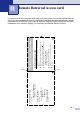

Table Of Contents
- USER’S GUIDE FAX-2820/FAX-2910/FAX-2920/MFC-7220/MFC-7225N
- Brother numbers
- Ordering accessories and supplies
- Safety precautions
- Quick Reference Guide
- Table of Contents
- 1 Introduction
- 2 Getting started
- Initial setup
- General Setup
- Setting the Mode Timer (FAX-2820, FAX-2910 and FAX-2920 only)
- Setting the Mode Timer (MFC-7220 and MFC-7225N only)
- Setting the Paper Type
- Setting the Paper Size
- Setting the Ring Volume
- Setting the Beeper Volume
- Setting the Speaker Volume
- Setting the Handset Volume
- Choosing the Handset Volume (For Volume Amplify)
- Setting Volume Amplify
- Turning on Automatic Daylight Savings Time
- Toner Save
- Sleep Time
- Setting the LCD Contrast
- Security
- TX Lock (FAX-2820, FAX-2910 and MFC-7220 only)
- Memory Security (FAX-2920 and MFC-7225N only)
- Setting Lock
- 3 Setup Send
- 4 Setup Receive
- 5 Quick-Dial numbers and dialing options
- 6 Remote Fax Options
- 7 Printing reports
- 8 Making copies
- 9 Software and Network Features (MFC-7220 and MFC-7225N only)
- 10 Important information
- Standard telephone and FCC Notices These notices are in effect on models sold and used in the United States only.
- Federal Communications Commission (FCC) Declaration of Conformity (USA only)
- Industry Canada Compliance Statement (Canada only)
- Disconnect device
- LAN connection (MFC-7225N only)
- Laser safety
- FDA regulations
- Important safety instructions
- Trademarks
- 11 Troubleshooting and routine maintenance
- Appendix A
- Appendix B
- Glossary
- Specifications
- Product description
- General
- Print media
- Copy
- Fax
- Scanner (MFC-7220 and MFC-7225N only)
- Printer (not available for FAX-2910)
- Interfaces (not available for FAX-2910)
- Download the optional software from the Brother Web Site (FAX-2820 and FAX-2920 users only)
- At the same time, you can download the manual for setting up and using the PC-Fax software.
- Computer requirements (not available for FAX-2910)
- Consumable items
- Network (LAN) (MFC-7225N only)
- Index
- Remote Retrieval Access card
- brother USA/CAN

Index
I - 2
Dialing
a pause ................................................ 5-4
access codes and credit card
numbers ...............................................5-4
automatic fax redial ..............................3-3
automatic transmission ........................3-3
Groups ................................................. 3-7
manual ................................................. 3-1
One-Touch ...........................................3-1
Speed-Dial ...........................................3-2
Distinctive Ring .......................................A-1
setting ring pattern ...............................A-2
turning off .............................................A-2
Drum Unit
cleaning .................................11-17, 11-24
replacing .......................................... 11-27
Dual Access ............................................ 3-6
E
ECM (Error Correction Mode) ...............1-13
Equalization .........................................11-20
Error messages on LCD ........................ 11-1
Comm. Error ......................................11-1
No Paper Fed .....................................11-3
Not Registered .....................................3-2
Out of Memory ................................... 11-4
while scanning a document ............... 8-7
Unable to Init. ..................................... 11-5
Unable to Print ................................... 11-5
Unable to Scan ..................................11-5
Extension telephone, using .....................A-4
External telephone, connecting ...............A-5
F
Fax codes
changing ...................................... 6-5, A-5
Fax Receive Code ....................... 4-3, A-4
Remote Access Code ..........................6-5
Telephone Answer Code .....................A-4
Fax Forwarding
changing remotely .........................6-6, 6-7
programming a number ........................6-1
Fax Storage ............................................. 6-2
printing from memory ...........................4-5
turning on .............................................6-2
Fax, stand-alone
receiving ...............................................4-1
at the end of a conversation ..............4-4
compatibility ...................................11-20
Easy Receive ....................................4-3
Fax Forwarding .................................6-1
from extension phone ....................... A-4
Paging ...............................................6-2
Polling Receive ..................................4-5
printing a fax from the memory ..........4-5
reducing to fit on paper ......................4-4
retrieving from a remote site ..............6-7
Ring Delay, setting ............................4-2
Sequential Polling ..............................4-6
sending .................................................3-1
at the end of a conversation ..............3-4
automatic ...........................................3-3
Broadcasting .....................................3-7
canceling from memory .....................3-8
compatibility ...................................11-20
contrast ..............................................3-5
enter Fax mode .................................3-1
from ADF ...........................................3-3
from memory (Dual Access) .......3-3, 3-6
from PC
See Software User’s Guide on the
CD-ROM.
overseas ..........................................3-10
Real Time Transmission ....................3-6
resolution ...........................................3-5
Fax/Tel mode
answering at extension phones ........... A-4
double-ringing (voice calls) ...................4-3
F/T Ring Time .......................................4-3
Fax Receive Code ............................... A-4
receiving faxes .................................... A-4
Ring Delay ............................................4-2
Telephone Answer Code ..................... A-4
FCC notices ...........................................10-1
G
Gray scale .......................................S-4, S-5
Groups for Broadcasting ..........................5-3
H
Handset Volume ......................................2-6
HELP
LCD messages .................................... B-1
using navigation keys ....................... B-2
Menu Table ..................................B-1, B-3