
Network User's Guide
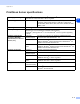
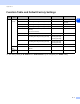
Table Of Contents
- Network USER’S GUIDE
- Table of contents
- 1.Introduction
- 2.Configuring your network printer
- 3.Front Panel Setup
- 4.Network printing from Windows®: basic TCP/IP Peer-to-Peer printing
- 5.Internet printing for Windows®
- 6.Network printing from Macintosh®
- 7.Web Based Management
- 8.Troubleshooting
- Appendix A
- Using services
- Other ways to set the IP address (for advanced users and administrators)
- Using DHCP to configure the IP address
- Using BOOTP to configure the IP address
- Using RARP to configure the IP address
- Using APIPA to configure the IP address
- Using ARP to configure the IP address
- Using the TELNET console to configure the IP address
- Using the Brother Web BRAdmin server software for IIS* to configure the IP address
- Print/Scan Server specifications
- Function Table and Default Factory Settings
- Index

Index
I - 2
I
T
TCP/IP ..............................................1-4, 3-1
TCP/IP Printing ....................................... 4-1
TELNET .......................................... 1-5, A-4
TEXT_P1 .................................................A-1
Trademarks ............................................... -0
W
Web Based Management ........................ 7-1
Web BRAdmin .........................................A-5
Web Browser .............................2-5, 6-4, 7-1
Web Server ............................................. 1-5
Windows 2000 ...........................4-1, 5-1, 8-6
Windows 2000/XP Printing ......................4-1
Windows 95/98/Me .................................. 8-5
Windows 95/98/Me Printing .................... 4-5
Windows NT 4.0 Printing ......................... 4-3
Windows XP ..............................4-1, 5-1, 8-6
WINS Config ........................................... 3-5
WINS Server ........................................... 3-5