
Network User's Guide
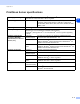
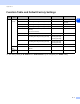
Table Of Contents
- Network USER’S GUIDE
- Table of contents
- 1.Introduction
- 2.Configuring your network printer
- 3.Front Panel Setup
- 4.Network printing from Windows®: basic TCP/IP Peer-to-Peer printing
- 5.Internet printing for Windows®
- 6.Network printing from Macintosh®
- 7.Web Based Management
- 8.Troubleshooting
- Appendix A
- Using services
- Other ways to set the IP address (for advanced users and administrators)
- Using DHCP to configure the IP address
- Using BOOTP to configure the IP address
- Using RARP to configure the IP address
- Using APIPA to configure the IP address
- Using ARP to configure the IP address
- Using the TELNET console to configure the IP address
- Using the Brother Web BRAdmin server software for IIS* to configure the IP address
- Print/Scan Server specifications
- Function Table and Default Factory Settings
- Index

I
I - 1
I
Index
A
APIPA ....................................... 1-4, 3-6, A-3
ARP .........................................................A-3
B
BINARY_P1 ............................................A-1
BOOTP ..................................... 1-4, 3-2, A-2
BRAdmin Professional .....................2-3, 2-4
BRN_xxxxxx_P1 .....................................A-1
Brother LPR Port ..............................4-5, 4-7
Brother Peer to Peer Software ................ 4-5
Brother Solutions Center ......................... 2-3
Browser ................................................... 7-1
C
Configuration Page ................................. 3-7
D
DHCP ....................................... 1-4, 3-3, A-1
DNS ......................................................... 7-1
DNS Client .............................................. 1-4
DNS Server ............................................. 3-6
Domain .............................. 2-5, 4-4, 4-6, 5-2
E
Ethernet ................................................... 3-7
F
Factory Default ........................................ 3-8
G
Gateway ...........................................2-2, 3-4
H
HTTP .........................................1-5, 2-5, 7-1
Hyper Text Transfer Protocol ...........2-5, 7-1
I
IIS ............................................................A-5
Internet Printing ....................................... 5-1
IP Address ........................................2-1, 3-3
IPP ............................................1-5, 5-1, 8-6
L
LAN menu ...............................................3-1
LED (Print Server) ...................................8-2
LPR/LPD .................................................1-4
M
Macintosh Printing ...................................6-1
mDNS ......................................................1-5
N
Network Configuration Page ................... 3-7
Network Printing ......................................4-1
Network Shared Printing ......................... 1-3
Node Name .............................................3-4
P
Password .........................................4-1, 5-1
PCL_P1 ...................................................A-1
Peer-to-Peer ............................................ 1-2
Ping ..................................................8-2, 8-4
Port9100 .................................................. 1-4
Print Server Setting ................................. 2-4
Protocol ................................................... 1-4
R
RARP ....................................... 1-4, 3-2, A-2
Restoring the network settings ................3-8
RFC 1001 ........................................ 2-1, A-1
Router ..................................................... 2-2
S
Service ....................................................A-1
Simple Network Configuration .................8-1
SMTP Client ............................................ 1-5
SNMP ...................................................... 1-5
Specifications ..........................................A-6
Subnet Mask ....................................2-2, 3-4