
Multi-Function Center User's Guide




Telephone and External devices
53
7
Changing the remote codes 7
If you want to use Remote Activation, you
have to turn on the remote codes. The preset
Remote Activation Code is l 51. The preset
Remote Deactivation Code is #51. If you
want to, you can replace them with your own
codes.
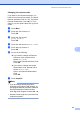
a Press Menu.
b Press a or b to choose Fax.
Press OK.
c Press a or b to choose
Setup Receive.
Press OK.
d Press a or b to choose Remote Codes.
e Press d or c to choose On.
Press OK.
f Do one of the following:
If you want to change the Remote
Activation Code, press a or b to
choose Act.Code:.
Enter a new Remote Activation Code.
Press OK.
If you want to change the remote
Deactivation Code, press a or b to
choose Deact.Code:.
Enter a new Remote Deactivation
Code.
Press OK.
g Press Stop/Exit.
Note
•
If you are always disconnected when
accessing your external TAD remotely, try
changing the Remote Activation Code and
Remote Deactivation Code to another
three-digit code using the numbers
0
-
9
,
l
,
#
.
• Remote Codes might not work with some
telephone systems.