
Installation Instructions


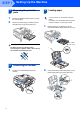

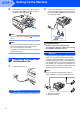


Table Of Contents
- Quick Setup Guide MFC-680CN
- Table of Contents
- Getting Started
- STEP 1 Setting Up the Machine
- 1 Removing the protective parts
- 2 Connecting the handset
- 3 Loading paper
- 4 Connecting the power cord and telephone line
- 5 Installing the ink cartridges
- 6 Print quality check
- 7 Setting the LCD contrast
- 8 Setting the date and time
- 9 Setting your station ID
- 10 Setting tone or pulse dialling mode
- 11 Setting the telephone line type
- 12 Choosing a Receive Mode
- 13 Setting up the TAD
- STEP 2 Installing the Driver & Software
- For Network Users
- Installing FaceFilter Studio Help
- Consumables
- brother UK/IRE/GEN/SAF

Table of Contents
1
Getting Started
Carton components...................................................................................................................................... 2
Control panel................................................................................................................................................ 3
STEP 1 –
Setting Up the Machine
Removing the protective parts ..................................................................................................................... 4
Connecting the handset .............................................................................................................................. 4
Loading paper .............................................................................................................................................. 4
Connecting the power cord and telephone line ........................................................................................... 6
Installing the ink cartridges........................................................................................................................... 7
Print quality check ........................................................................................................................................ 9
Setting the LCD contrast ............................................................................................................................ 10
Setting the date and time ........................................................................................................................... 11
Setting your station ID................................................................................................................................ 11
Setting tone or pulse dialling mode ............................................................................................................ 12
Setting the telephone line type................................................................................................................... 12
Choosing a Receive Mode ......................................................................................................................... 13
Setting up the TAD..................................................................................................................................... 13
STEP 2 –
Installing the Driver & Software
Windows
®
For USB Interface Users
(For Windows
®
2000 Professional/XP/XP Professional x64 Edition/Windows Vista™) ........................... 16
Installing FaceFilter Studio................................................................................................................... 19
For Network Interface Users
(For Windows
®
2000 Professional/XP/XP Professional x64 Edition/Windows Vista™) ........................... 20
Installing FaceFilter Studio................................................................................................................... 23
Macintosh
®
For USB Interface Users (For Mac OS
®
X 10.2.4 or greater) ................................................................... 24
For Network Interface Users (For Mac OS
®
X 10.2.4 or greater) ............................................................. 27
For Network Users
BRAdmin Light utility (For Windows
®
users).............................................................................................. 30
Installing the BRAdmin Light configuration utility .................................................................................. 30
Setting your IP address, Subnet Mask and Gateway using BRAdmin Light ........................................ 30
BRAdmin Light utility (For Mac OS
®
X users)............................................................................................ 31
Setting your IP address, Subnet Mask and Gateway using BRAdmin Light ........................................ 31
Installing FaceFilter Studio Help
Instructions on how to install FaceFilter Studio Help
(For Windows
®
users)................................................................................................................................ 32
Installing FaceFilter Studio Help ........................................................................................................... 32
Consumables
Replacement consumables........................................................................................................................ 33
Ink cartridge .......................................................................................................................................... 33