
Installation Instructions

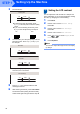
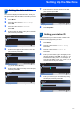

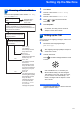


Table Of Contents
- Quick Setup Guide MFC-680CN
- Table of Contents
- Getting Started
- STEP 1 Setting Up the Machine
- 1 Removing the protective parts
- 2 Connecting the handset
- 3 Loading paper
- 4 Connecting the power cord and telephone line
- 5 Installing the ink cartridges
- 6 Print quality check
- 7 Setting the LCD contrast
- 8 Setting the date and time
- 9 Setting your station ID
- 10 Setting tone or pulse dialling mode
- 11 Setting the telephone line type
- 12 Choosing a Receive Mode
- 13 Setting up the TAD
- STEP 2 Installing the Driver & Software
- For Network Users
- Installing FaceFilter Studio Help
- Consumables
- brother UK/IRE/GEN/SAF
Setting Up the Machine
11
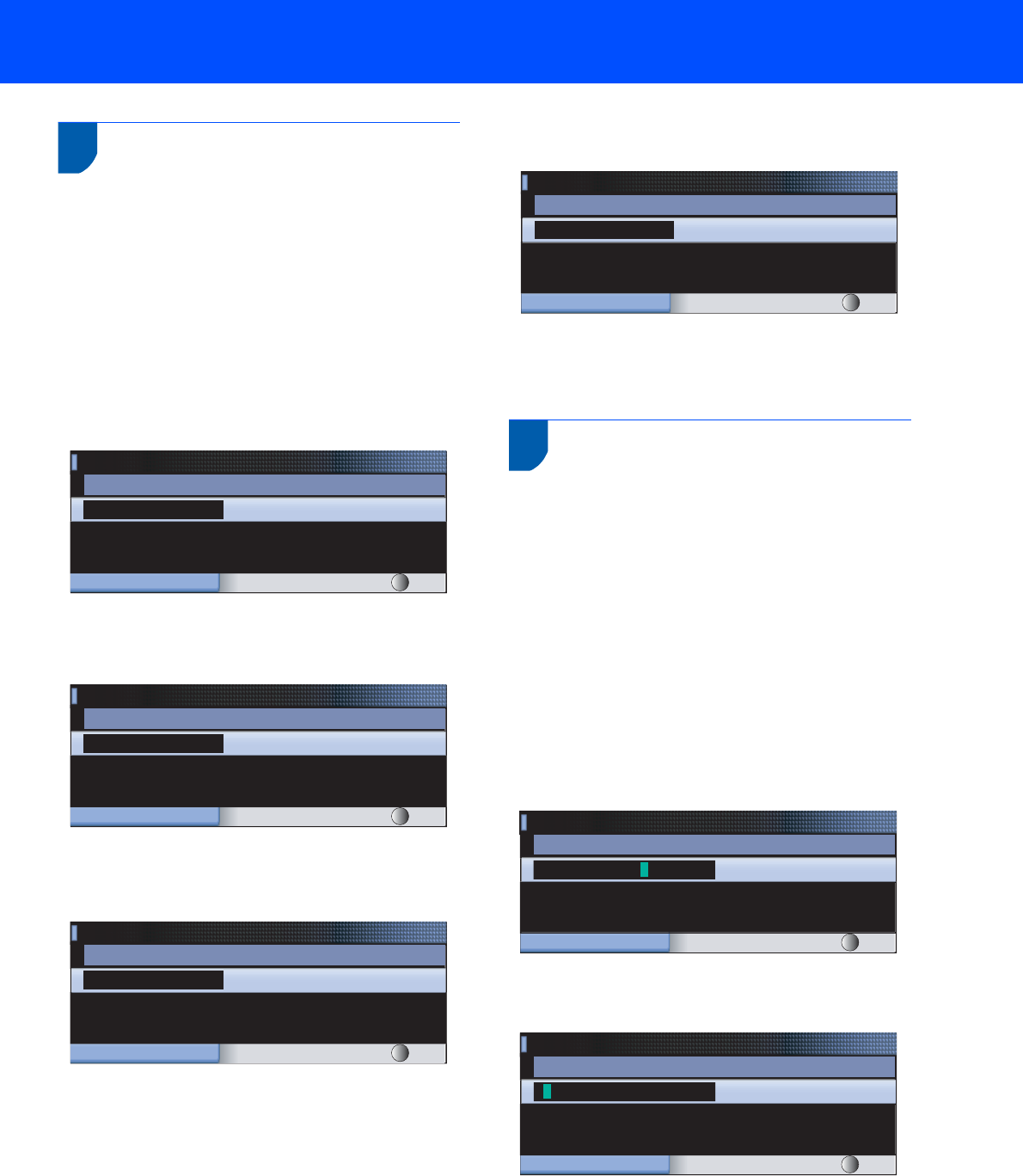
8 Setting the date and time
The machine displays the date and time, and if you
set up the station ID it will add it to each fax you send.
1 Press Menu.
2 Press a or b to choose Initial Setup.
Press OK.
3 Press a or b to choose Date&Time.
Press OK.
4 Enter the last two digits of the year on the dial
pad, and then press OK.
(e.g. Enter 0 7 for 2007.)
5 Enter the two digits for the month on the dial
pad, and then press OK.
(e.g. Enter 0 3 for March.)
6 Enter the two digits for the day on the dial pad,
and then press OK.
(e.g. Enter 0 1 for the first day of the month.)
7 Enter the time in 24-hour format on the dial
pad, and then press OK.
(e.g. Enter 1 5, 2 5 for 15:25.)
8 Press Stop/Exit.
9 Setting your station ID
You should store your name and fax number to be
added to all fax pages that you send.
1 Press Menu.
2 Press a or b to choose Initial Setup.
Press OK.
3 Press a or b to choose Station ID.
Press OK.
4 Enter your fax number (up to 20 digits) on the
dial pad, and then press OK. To enter a “+” for
international codes, press l. For example, to
enter the UK dialling code “+44
”, press l, 4, 4
and then the rest of your number.
5 Enter your name (up to 20 characters) using
the dial pad, and then press OK.
Date&Time
Year:20
07
MENU Input & Press OK
Date&Time
Month:
03
MENU Input & Press OK
Date&Time
Day:
01
MENU
Input & Press OK
Date&Time
Time:
15:25
MENU
Input & Press OK
+44XXXXXXXX
Station ID
Fax:
MENU Input & Press OK
Station ID
Name:
MENU Input & Press OK