
User`s guide



TROUBLESHOOTING AND ROUTINE MAINTENANCE 13 - 11
Printing Received Faxes (Continued)
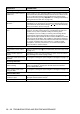
Received colour fax prints only
in black and white.
Replace the colour ink cartridges that are empty or nearly empty, and
then ask the other person to send the colour fax again. (See Replacing
the ink cartridges on page 13-26.) Since the machine cannot store
colour faxes in memory, make sure that Fax Storage is not turned on.
(See Setting Fax Storage on page 6-2.)
Left and Right margins are cut
off or a single page is printed
on two pages.
Turn on Auto Reduction. (See Printing a reduced incoming fax (Auto
Reduction) on page 4-7.)
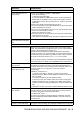
Phone Line or Connections
Dialling does not work.
(No dial tone)
Check that the machine is plugged in and not in Power Save mode.
Check for a dial tone. If possible, call your machine to hear it answer. If
there is still no answer, check the telephone line cord connection and make
sure all telephone connections are secured. If there is no ringing when you
call your machine, ask your telephone company to check the line.
Change Tone/Pulse setting. (See Setting the Phone Line Type (For
Australia and New Zealand only) on page 2-3.)
Receiving Faxes
The machine cannot receive a
fax.
Make sure the machine is in the correct receiving mode for your setup.
(See Basic receiving operations on page 4-1.)
If you frequently encounter interference on the phone line, try changing the
menu setting of Compatibility to Basic. (See Compatibility on page 13-14.)
If you connect your machine to PBX or ISDN, set the menu setting of
Phone Line Type to your phone type. (See Setting the Phone Line Type
(For Australia and New Zealand only) on page 2-3.)
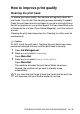
Sending Faxes
The machine cannot send a
fax.
Make sure that the Fax key is illuminated. (See How to enter Fax
mode on page 3-1.)
Ask the other party to check that receiving machine has paper.
Print the Transmission Verification Report and check for an error.
(See Printing reports on page 8-3.)
The machine cannot send
multiple pages from the
scanner glass.
Make sure that Real Time Transmission is set to Off. (See Real Time
Transmission on page 3-9.)
Transmission Verification
Report says ‘Result:NG’ or
‘Result:ERROR’.
There is probably temporary noise or static on the line. Try sending the
fax again. If you send a PC FAX message and get ‘Result:NG’ on the
Transmission Verification Report, your machine may be out of memory.
To gain extra memory, you can turn off Remote Fax Options (see
Turning off Remote Fax Options on page 6-4), print fax messages in
memory (see Printing a fax from the memory on page 4-8) or cancel a
Delayed Fax or Polling Job (see Cancelling a waiting job on page 3-10).
If the problem continues, ask the telephone company to check your
phone line.
If you frequently get transmission error with possible interference on the
phone line, try to change the menu setting of Compatibility to Basic.
(See Compatibility on page 13-14.)
If you connect your machine to PBX or ISDN, set the menu setting of
Phone Line Type to your phone type. (See Setting the Phone Line Type
(For Australia and New Zealand only) on page 2-3.)
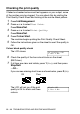
Poor sending quality. Try changing your resolution to Fine or S.Fine. Make a copy to check
your machine’s scanner operation.
Vertical black lines when
sending.
If the copy you made shows the same problem, your scanner is dirty.
(See Cleaning the scanner on page 13-23.)
DIFFICULTY SUGGESTIONS