
User Manual


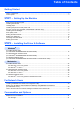


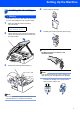

Table Of Contents
- Quick Setup Guide MFC-640CW
- Table of Contents
- Getting Started
- STEP1 Setting Up the Machine
- 1 Removing the protective parts
- 2 Installing the handset
- 3 Loading paper
- 4 Installing the phone line and power cord
- 5 Set Your Country (For Australia / New Zealand Customer Only)
- 6 Installing the ink cartridges
- 7 Print quality check
- 8 Setting the date and time
- 9 Setting your station ID
- 10 Choosing a Receive Mode
- 11 Setting up the TAD
- STEP2 Installing the Driver & Software
- For Network Users
- Consumables and Options
- brother ARL/ASA/NZ

To use the machine safely
Warning
Caution
Improper Setup
Warnings tell you what to do to prevent
possible personal injury.
Cautions specify procedures you must
follow or avoid to prevent possible
damage to the machine or other objects.
Improper Setup icons alert you to
devices and operations that are not
compatible with the machine.
Note
User’s Guide, Software User’s Guide or
Network User’s Guide
Notes tell you how you should respond
to a situation that may arise or give tips
about how the current operation works
with other features.
Indicates reference to the User’s Guide,
Software User’s Guide or Network
User’s Guide which is on the CD-ROM
we have supplied.