Brother PC-FAX 软件 (不可用于 DCP-115C 和 DCP-120C)
6 - 6
Brother 地址簿
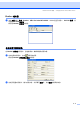
a 点击开始按钮,程序、Brother、MFL-Pro Suite MFC-XXXX(XXXX 为型号名称)、PC-FAX 发送,然
后选择 PC-FAX 地址簿。
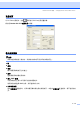
将出现 Brother 地址簿对话框:
在地址簿中设置成员
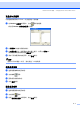
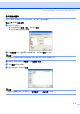
在 Brother 地址簿对话框中,您能够添加、编辑和删除成员和组。
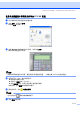
a 在地址簿对话框中,点击 图标添加成员。
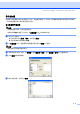
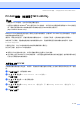
将出现 Brother 地址簿成员设置对话框:
b 在成员设置对话框中,输入成员信息。 必须填写姓名栏。 点击确定按钮保存信息。