
Owner's Manual





10 - 9 WALK-UP PHOTOCAPTURE CENTER
™
Changing the default settings
You can save the PhotoCapture Center
™
settings you use most often
by setting them as default. These settings will remain until you
change them again.
Increasing print speed or quality
1
Press Menu/Set, 4, 1.
2
Press
▲ or ▼ to select
Normal
or
Photo
.
Press
Menu/Set.
3
Press Stop/Exit.
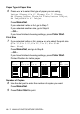
Setting the paper & size
1
Press Menu/Set, 4, 2.
2
Press
▲ or ▼ to select
Letter Glossy, 4"x 6" Glossy,
5"x 7" Glossy, A4 Glossy, Letter Plain, A4 Plain,
Letter Inkjet, A4 Inkjet or 4"x 6" Inkjet.
Press
Menu/Set.
If you selected Letter or A4,
press
▲ or ▼ to select the print size
(4"x 3", 5"x 3.5", 6"x 4", 7"x 5", 8"x 6" or
Max. Size).
Press
Menu/Set.
3
Press Stop/Exit.
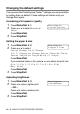
Adjusting brightness
1
Press Menu/Set, 4, 3.
2
Press
▲ to make a lighter print.
—OR—
Press
▼ to make a darker print.
Press
Menu/Set.
3
Press Stop/Exit.
PhotoCapture
1.Print Quality
PhotoCapture
2.Paper & Size
PhotoCapture
3.Brightness