
Owner manual


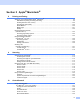
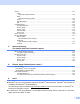


Table Of Contents
- SOFTWARE USER’S GUIDE
- Table of Contents
- Section I Windows®
- 1 Printing
- 2 Scanning
- Scanning a document using the TWAIN driver
- Scanning a document using the WIA driver (For Windows® XP only)
- Using the Scan key (For USB cable users)
- Using ScanSoft® PaperPort® 9.0SE and OmniPage® OCR
- 3 ControlCenter2
- 4 Network Scanning (For models with built-in network support)
- 5 Remote Setup (Not available for DCP models)
- 6 Brother PC-FAX Software (For MFC models only)
- PC-FAX sending
- Speed Dial setup
- Brother Address Book
- Setting up a member in the Address Book
- Setting up a group for broadcasting
- Editing member information
- Deleting a member or group
- Exporting the Address Book
- Importing to the Address Book
- Setting up a cover page
- Entering cover page information
- Sending a file as a PC-FAX using the Facsimile style user interface
- Sending a file as a PC-FAX using the Simple style user interface
- PC-FAX receiving (MFC-640CW and MFC-820CW only)
- 7 PhotoCapture Center™
- Section II Apple® Macintosh®
- 8 Printing and Faxing
- 9 Scanning
- 10 ControlCenter2
- 11 Network Scanning (For models with built-in network support)
- 12 Remote Setup & PhotoCapture Center™
- Index
- brother USA

2
1
Note
• The screens in this section are from Windows
®
XP. Screens on your PC may vary depending on your
operating system.
• If your PC is protected by a firewall, and is unable to print, you may need to configure the firewall settings
to allow UDP port number 137. Visit the Brother Solutions Center (http://solutions.brother.com
) for more
information.
Using the Brother printer driver 1
A printer driver translates the data from your PC application, and using a page description language, converts
it into a format that can be understood by the printer/multi-function device.
You will find appropriate drivers on the CD-ROM supplied with the machine. Install those drivers by following
the steps in the Quick Setup Guide. You can also download the latest drivers from the Brother Solutions
Center at:
http://solutions.brother.com
Features 1
This machine offers many features you will find in a high quality ink jet printer.
Fast Printing Speed
Using Fast mode, you can print up to 15 pages per minute in full color, and up to 20 pages per minute in black.
Brilliant High Quality Output
Printing at up to 1200 × 6000 dpi on glossy paper to get the highest possible resolution. (See Resolution in
Specifications in the User’s Guide.) The printer driver supports 2 in 1, Watermark printing, Color
Enhancement technology and many other features.
Low Running Cost
Whenever you run out of a particular ink color, you only have to replace the empty cartridge.
USB
Universal Serial Bus Interface provides fast communication with your PC.
Ethernet
The Ethernet interface lets your machine communicate with multiple PCs connected on a network. This
feature is available for Network Standard models only.
Wireless LAN (IEEE802.11b/g) (MFC-640CW and MFC-820CW only)
The wireless LAN capability lets your machine to communicate with other wireless devices using the
IEEE802.11b/g wireless standard in Infrastructure and Ad-hoc modes. (See the Network User’s Guide for
details.) This feature is available for Network Standard models only.
Printing 1