
Owner manual
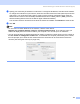




Table Of Contents
- SOFTWARE USER’S GUIDE
- Table of Contents
- Section I Windows®
- 1 Printing
- 2 Scanning
- Scanning a document using the TWAIN driver
- Scanning a document using the WIA driver (For Windows® XP only)
- Using the Scan key (For USB cable users)
- Using ScanSoft® PaperPort® 9.0SE and OmniPage® OCR
- 3 ControlCenter2
- 4 Network Scanning (For models with built-in network support)
- 5 Remote Setup (Not available for DCP models)
- 6 Brother PC-FAX Software (For MFC models only)
- PC-FAX sending
- Speed Dial setup
- Brother Address Book
- Setting up a member in the Address Book
- Setting up a group for broadcasting
- Editing member information
- Deleting a member or group
- Exporting the Address Book
- Importing to the Address Book
- Setting up a cover page
- Entering cover page information
- Sending a file as a PC-FAX using the Facsimile style user interface
- Sending a file as a PC-FAX using the Simple style user interface
- PC-FAX receiving (MFC-640CW and MFC-820CW only)
- 7 PhotoCapture Center™
- Section II Apple® Macintosh®
- 8 Printing and Faxing
- 9 Scanning
- 10 ControlCenter2
- 11 Network Scanning (For models with built-in network support)
- 12 Remote Setup & PhotoCapture Center™
- Index
- brother USA

Remote Setup & PhotoCapture Center™
151
c You can edit a file and save it to another drive on your Macintosh
®
.
d Quit all applications that are running stored data on the media card and drag the Removable Disk icon
into the Trash icon before you remove the media card from the machine.
CAUTION
DO NOT unplug the power cord, USB cable or remove a SmartMedia
®
, CompactFlash
®
, Memory Stick
®
,
Memory Stick Pro ™, MultiMediaCard™, SecureDigital™ or xD-Picture Card™ from the machine while it is
reading a card (when the (PhotoCapture) key is flashing). You could lose your data or damage the
card.
If you take out the media card while the PhotoCapture key is flashing, you must restart your Macintosh
®
at once before putting the same media card back into the machine. If you do not restart your Macintosh
®
,
the data on your media card may be destroyed.
Note
The PhotoCapture Center™ will only read one card at a time so do not put more than one media card in
at a time.
While the machine is printing from PhotoCapture Center™, PhotoCapture Center™ cannot perform any
other operation.