
Manual
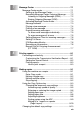
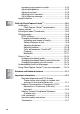
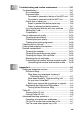
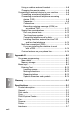

Table Of Contents
- USER’S GUIDE MFC-640CW
- Brother numbers
- Ordering accessories and supplies
- Safety precautions
- Choosing a location
- Quick Reference Guide
- How to access the complete User’s Guide
- How to access Brother Support (For Windows®)
- Table of Contents
- 1 Introduction
- 2 Getting started
- Initial Setup
- General Setup
- Setting the Mode Timer
- Setting the Paper Type
- Setting the Paper Size
- Setting the Ring Volume
- Setting the Beeper Volume
- Setting the Speaker Volume
- Setting the Handset Volume
- Choosing the Handset Volume (For Volume Amplify)
- Setting Volume Amplify
- Turning on Automatic Daylight Savings Time
- Setting the LCD Contrast
- 3 Setup Send
- 4 Setup Receive
- Basic receiving operations
- 5 Quick-Dial numbers and dialing options
- 6 Remote Fax Options (Black & White only)
- 7 Message Center
- Message Center mode
- Setting up the Message Center
- Recording Message Center Outgoing Message
- Activating Message Center mode
- Message indicator
- Playing voice messages
- Printing a fax message
- Erasing incoming messages
- Setting Maximum Time for incoming messages
- Setting Toll Saver
- ICM Recording Monitor
- Recording a conversation
- Record Fax/Tel Outgoing Announcement (F/T OGM)
- Message Center mode
- 8 Printing reports
- 9 Making copies
- 10 Walk-Up PhotoCapture Center™
- 11 Software and Network features
- 12 Important information
- 13 Troubleshooting and routine maintenance
- Appendix A
- Appendix B
- Glossary
- Specifications
- Index
- Remote Retrieval Access card
- brother US/CAN

xxi
13
Troubleshooting and routine maintenance ..................... 13-1
Troubleshooting ............................................................. 13-1
Error messages ........................................................ 13-1
Document jams......................................................... 13-5
Document is jammed in the top of the ADF unit... 13-5
Document is jammed inside the ADF unit ............ 13-5
Printer jam or paper jam........................................... 13-6
Paper is jammed inside the paper tray................. 13-6
Paper is jammed inside the machine ................... 13-7
If you are having difficulty with your machine........... 13-9
Setting Dial Tone.................................................... 13-14
Compatibility........................................................... 13-14
How to improve print quality ......................................... 13-15
Cleaning the print head .......................................... 13-15
Checking the print quality ....................................... 13-16
Checking the printing alignment ............................. 13-18
Checking the ink volume .............................................. 13-19
Packing and shipping the machine............................... 13-20
Routine maintenance.................................................... 13-23
Cleaning the scanner.............................................. 13-23
Cleaning the machine printer platen....................... 13-24
Cleaning the Paper Pick-up Roller ......................... 13-25
Replacing the ink cartridges ................................... 13-26
Uninstalling the handset and the handset cradle.... 13-30
Uninstalling the handset and handset cradle ..... 13-30
A
Appendix A .......................................................................... A-1
Setting up telephone services ..........................................A-1
Distinctive Ring...........................................................A-1
What does your telephone company’s
‘Distinctive Ring’ do? ..........................................A-1
What does Brother’s ‘Distinctive Ring’ do? ............A-2
Do you have Voice Mail?........................................A-2
Before you choose the ring pattern to register .......A-3
Registering the Distinctive Ring pattern .....................A-4
Turning off the Distinctive Ring ..............................A-4
Caller ID............................................................................A-5
Viewing Caller ID List .................................................A-6
Printing Caller ID List..................................................A-6
Advanced receiving operations ........................................A-7
Operation from extension telephones.........................A-7
For Fax/Tel mode when power key is On...................A-7
Fax/Tel mode when power key is Off .........................A-7