
Manual
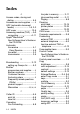


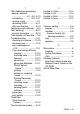

Table Of Contents
- USER’S GUIDE MFC-640CW
- Brother numbers
- Ordering accessories and supplies
- Safety precautions
- Choosing a location
- Quick Reference Guide
- How to access the complete User’s Guide
- How to access Brother Support (For Windows®)
- Table of Contents
- 1 Introduction
- 2 Getting started
- Initial Setup
- General Setup
- Setting the Mode Timer
- Setting the Paper Type
- Setting the Paper Size
- Setting the Ring Volume
- Setting the Beeper Volume
- Setting the Speaker Volume
- Setting the Handset Volume
- Choosing the Handset Volume (For Volume Amplify)
- Setting Volume Amplify
- Turning on Automatic Daylight Savings Time
- Setting the LCD Contrast
- 3 Setup Send
- 4 Setup Receive
- Basic receiving operations
- 5 Quick-Dial numbers and dialing options
- 6 Remote Fax Options (Black & White only)
- 7 Message Center
- Message Center mode
- Setting up the Message Center
- Recording Message Center Outgoing Message
- Activating Message Center mode
- Message indicator
- Playing voice messages
- Printing a fax message
- Erasing incoming messages
- Setting Maximum Time for incoming messages
- Setting Toll Saver
- ICM Recording Monitor
- Recording a conversation
- Record Fax/Tel Outgoing Announcement (F/T OGM)
- Message Center mode
- 8 Printing reports
- 9 Making copies
- 10 Walk-Up PhotoCapture Center™
- 11 Software and Network features
- 12 Important information
- 13 Troubleshooting and routine maintenance
- Appendix A
- Appendix B
- Glossary
- Specifications
- Index
- Remote Retrieval Access card
- brother US/CAN
INDEX I - 6
T
TAD (telephone answering
device), external
..........................4-1, A-9, A-13
connecting ..............A-9, A-11
receive mode ....................4-1
recording OGM ...............A-11
with two-line jack ............A-13
Temporary copy settings .....9-3
Text, entering ....................B-12
special characters ..........B-13
Tone signals on Pulse line .... 5-6
Troubleshooting ................13-1
checking ink volume .....13-19
document jam .................13-5
error messages on
LCD ..............................13-1
if you are having difficulty
copying ......................13-12
incoming calls ............13-12
Network .....................13-13
phone line ..................13-14
phone line difficulties ...13-11
PhotoCapture
Center
™
................... 13-13
printing .........................13-9
printing or receiving
faxes ........................13-10
Printing Receiving
Faxes .......................13-10
receiving faxes ..........13-11
scanning ....................13-12
sending faxes ............13-11
software .....................13-12
paper jam .......................13-6
print quality ................... 13-15
True2Life
®
PhotoCapture
Center
™
......................10-10
Two-line phone system .....A-12
U
Unable to Clean .................13-4
Unable to Init. ....................13-4
Unable to Print ...................13-4
Unable to Scan ..................13-4
V
Volume, setting ....................2-5
beeper ..............................2-5
handset .............................2-8
Volume Amplify (for
hearing-impaired) .........2-9
ring ....................................2-5
speaker .............................2-6
W
Warranties ............................. iii
Canada ............................... vi
Notice-Disclaimer ............... iii
USA .................................... iv
Wireless Network
See Quick Setup Guide and
Network User’s Guide on the
CD-ROM.
World Wide Web .....................i