
Manual
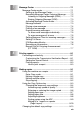
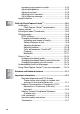
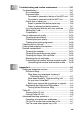
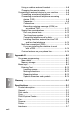
Table Of Contents
- USER’S GUIDE MFC-640CW
- Brother numbers
- Ordering accessories and supplies
- Safety precautions
- Choosing a location
- Quick Reference Guide
- How to access the complete User’s Guide
- How to access Brother Support (For Windows®)
- Table of Contents
- 1 Introduction
- 2 Getting started
- Initial Setup
- General Setup
- Setting the Mode Timer
- Setting the Paper Type
- Setting the Paper Size
- Setting the Ring Volume
- Setting the Beeper Volume
- Setting the Speaker Volume
- Setting the Handset Volume
- Choosing the Handset Volume (For Volume Amplify)
- Setting Volume Amplify
- Turning on Automatic Daylight Savings Time
- Setting the LCD Contrast
- 3 Setup Send
- 4 Setup Receive
- Basic receiving operations
- 5 Quick-Dial numbers and dialing options
- 6 Remote Fax Options (Black & White only)
- 7 Message Center
- Message Center mode
- Setting up the Message Center
- Recording Message Center Outgoing Message
- Activating Message Center mode
- Message indicator
- Playing voice messages
- Printing a fax message
- Erasing incoming messages
- Setting Maximum Time for incoming messages
- Setting Toll Saver
- ICM Recording Monitor
- Recording a conversation
- Record Fax/Tel Outgoing Announcement (F/T OGM)
- Message Center mode
- 8 Printing reports
- 9 Making copies
- 10 Walk-Up PhotoCapture Center™
- 11 Software and Network features
- 12 Important information
- 13 Troubleshooting and routine maintenance
- Appendix A
- Appendix B
- Glossary
- Specifications
- Index
- Remote Retrieval Access card
- brother US/CAN

xx
Increasing copy speed or quality ..............................9-13
Adjusting brightness .................................................9-13
Adjusting contrast .....................................................9-13
Adjusting color saturation .........................................9-14
Out of Memory message ..........................................9-14
Legal limitations..............................................................9-15
10
Walk-Up PhotoCapture Center
™
.......................................10-1
Introduction.....................................................................10-1
PhotoCapture Center
™
requirements ...................10-2
Getting started ................................................................10-3
Printing the Index (Thumbnails)......................................10-5
Printing images ...............................................................10-6
DPOF printing...........................................................10-8
Changing the default settings ...................................10-9
Increasing print speed or quality...........................10-9
Setting the paper & size .......................................10-9
Adjusting brightness .............................................10-9
Adjusting contrast...............................................10-10
Color enhancement (True2Life
®
)........................10-10
Cropping.............................................................10-11
Borderless ..........................................................10-11
Scan to Card.................................................................10-12
Changing the default quality ...................................10-13
Changing the default black & white file format........10-13
Changing the default color file format .....................10-13
Understanding the Error Messages..............................10-14
Using PhotoCapture Center
™
from your computer .......10-14
11
Software and Network features ........................................11-1
12
Important information ........................................................12-1
Standard telephone and FCC Notices
These notices are in effect on models sold
and used in the United States only.......................12-1
Federal Communications Commission (FCC)
Declaration of Conformity (USA only)...................12-3
Important ..............................................................12-3
Industry Canada Compliance Statement
(Canada only) .......................................................12-4
LAN connection ........................................................12-4
Important safety instructions.....................................12-5
Trademarks...............................................................12-7