
Manual
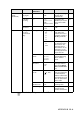
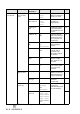
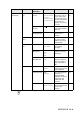
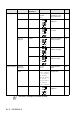


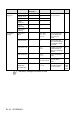
Table Of Contents
- USER’S GUIDE MFC-640CW
- Brother numbers
- Ordering accessories and supplies
- Safety precautions
- Choosing a location
- Quick Reference Guide
- How to access the complete User’s Guide
- How to access Brother Support (For Windows®)
- Table of Contents
- 1 Introduction
- 2 Getting started
- Initial Setup
- General Setup
- Setting the Mode Timer
- Setting the Paper Type
- Setting the Paper Size
- Setting the Ring Volume
- Setting the Beeper Volume
- Setting the Speaker Volume
- Setting the Handset Volume
- Choosing the Handset Volume (For Volume Amplify)
- Setting Volume Amplify
- Turning on Automatic Daylight Savings Time
- Setting the LCD Contrast
- 3 Setup Send
- 4 Setup Receive
- Basic receiving operations
- 5 Quick-Dial numbers and dialing options
- 6 Remote Fax Options (Black & White only)
- 7 Message Center
- Message Center mode
- Setting up the Message Center
- Recording Message Center Outgoing Message
- Activating Message Center mode
- Message indicator
- Playing voice messages
- Printing a fax message
- Erasing incoming messages
- Setting Maximum Time for incoming messages
- Setting Toll Saver
- ICM Recording Monitor
- Recording a conversation
- Record Fax/Tel Outgoing Announcement (F/T OGM)
- Message Center mode
- 8 Printing reports
- 9 Making copies
- 10 Walk-Up PhotoCapture Center™
- 11 Software and Network features
- 12 Important information
- 13 Troubleshooting and routine maintenance
- Appendix A
- Appendix B
- Glossary
- Specifications
- Index
- Remote Retrieval Access card
- brother US/CAN
B - 11 APPENDIX B
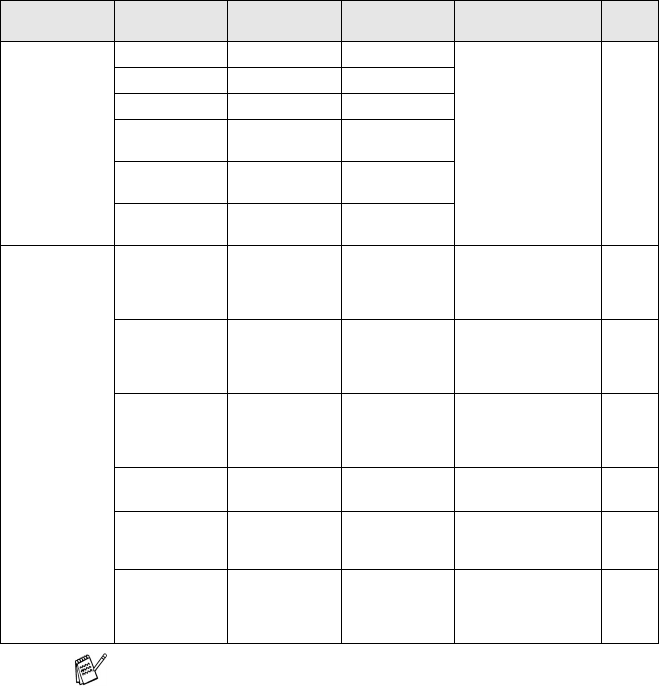
6.Print
Reports
1.
Transmission
— — You can print these
lists and reports.
8-3
2.Help List ——
3.Quick-Dial ——
4.Fax
Journal
——
5.User
Settings
——
6.Network
Config
——
0.Initial
Setup
1.Receive
Mode
— Fax Only
Fax/Tel
Manual
You can choose the
receive mode that
best suits your
needs.
4-1
2.Date/Time — — Puts the date and
time on the LCD and
in headings of faxes
you send.
2-1
3.Station ID — Fax:
Name:
Program your name
and fax number to
appear on each page
you fax.
2-2
4.Tone/Pulse — Tone
Pulse
Selects the dialing
mode.
2-1
5.Dial Tone — Detection
No Detection
You can shorten the
dial tone detect
pause.
13-14
0.Local
Language
(Canada only)
— English
French
Allows you to change
the LCD Language
for your country.
See
Quick
Setup
Guide
Main Menu Submenu Menu
Selections
Options Descriptions Page
The factory settings are shown in Bold.