
Manual
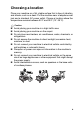
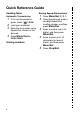
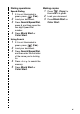


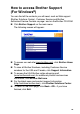


Table Of Contents
- USER’S GUIDE MFC-640CW
- Brother numbers
- Ordering accessories and supplies
- Safety precautions
- Choosing a location
- Quick Reference Guide
- How to access the complete User’s Guide
- How to access Brother Support (For Windows®)
- Table of Contents
- 1 Introduction
- 2 Getting started
- Initial Setup
- General Setup
- Setting the Mode Timer
- Setting the Paper Type
- Setting the Paper Size
- Setting the Ring Volume
- Setting the Beeper Volume
- Setting the Speaker Volume
- Setting the Handset Volume
- Choosing the Handset Volume (For Volume Amplify)
- Setting Volume Amplify
- Turning on Automatic Daylight Savings Time
- Setting the LCD Contrast
- 3 Setup Send
- 4 Setup Receive
- Basic receiving operations
- 5 Quick-Dial numbers and dialing options
- 6 Remote Fax Options (Black & White only)
- 7 Message Center
- Message Center mode
- Setting up the Message Center
- Recording Message Center Outgoing Message
- Activating Message Center mode
- Message indicator
- Playing voice messages
- Printing a fax message
- Erasing incoming messages
- Setting Maximum Time for incoming messages
- Setting Toll Saver
- ICM Recording Monitor
- Recording a conversation
- Record Fax/Tel Outgoing Announcement (F/T OGM)
- Message Center mode
- 8 Printing reports
- 9 Making copies
- 10 Walk-Up PhotoCapture Center™
- 11 Software and Network features
- 12 Important information
- 13 Troubleshooting and routine maintenance
- Appendix A
- Appendix B
- Glossary
- Specifications
- Index
- Remote Retrieval Access card
- brother US/CAN

xvii
Setting the Handset Volume....................................... 2-7
Choosing the Handset Volume
(For Volume Amplify).............................................. 2-8
Setting Volume Amplify ............................................. 2-9
Turning on Automatic Daylight Savings Time........... 2-10
Setting the LCD Contrast.......................................... 2-10
3
Setup Send ........................................................................... 3-1
How to enter Fax mode .................................................... 3-1
How to dial........................................................................ 3-1
Manual dialing ............................................................ 3-1
Speed-Dialing............................................................. 3-2
Search ........................................................................ 3-2
Manual and automatic fax Redial ............................... 3-2
How to Fax ....................................................................... 3-3
Color fax transmission................................................ 3-3
Faxing from the ADF ................................................. 3-3
Faxing from the scanner glass ................................... 3-4
Automatic transmission .............................................. 3-5
Manual transmission................................................... 3-5
Sending a fax at the end of a conversation ................ 3-6
Out of Memory message ............................................ 3-6
Basic sending operations ................................................. 3-7
Sending faxes using multiple settings ........................ 3-7
Contrast...................................................................... 3-7
Fax Resolution............................................................ 3-8
Dual Access (Black & White only) .............................. 3-9
Real Time Transmission........................................... 3-10
Checking job status .................................................. 3-11
Canceling a fax in progress...................................... 3-11
Canceling a waiting job............................................. 3-11
Advanced sending operations ........................................ 3-12
Broadcasting (Black & White only) ........................... 3-12
To Stop a Broadcast In Progress ............................. 3-13
Overseas Mode ........................................................ 3-13
Delayed Fax (Black & White only) ............................ 3-14
Setting up Polled Transmit (Black & White only) ..... 3-14
Delayed Batch Transmission (Black & White only) .. 3-15
Faxing A4 size documents from the scanner
glass ..................................................................... 3-15
4
Setup Receive ...................................................................... 4-1
Basic receiving operations................................................ 4-1
Choosing the Receive Mode ...................................... 4-1