
Instruction Manual



Setting Up the Machine
11
10 Setting up the Message
Center
You must record an outgoing message in order to use
the Message Center mode.
1 Record the Message Center Outgoing
Message (MSG CTR OGM).
See Recording Message Center Outgoing
Message in Chapter 7 of the User’s Guide.
2 Activate Message Center mode.
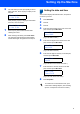
Press and hold until it lights and the LCD
shows:
If the Message Center Mode is on, it
overrides your Receive Mode setting. The
built-in digital Message Center answers
voice calls. If the call is a fax, you can receive
a fax automatically.
For details, see Message Center in Chapter
7 of the User’s Guide.
11 Choosing Your Language
(Canada only)
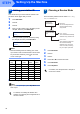
1 Press Menu/Set.
2 Press 0.
3 Press 0.
4 Press a or b to choose your language
(English or French) , and then press
Menu/Set.
Local Language
English
5 Press Stop/Exit.
12 Sending in the Product
Registration and Test Sheet
(USA only)
1 Fill out the Product Registration and Test
Sheet.
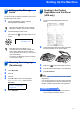
2 Put the sheet face down in the ADF (Automatic
Document Feeder) or the scanner glass.
3 Make sure (Fax) is illuminated in Green.
4 Enter the toll-free fax number: 1-877-268-9575.
5 Press Black Start.
Note
You will receive a confirmation fax of your Product
Registration.
You can also register your product online using the
On-Line Registration link from the installation CD-
ROM or visit http://www.brother.com/registration
Now go to
Go to Supplied CD-ROM ‘MFL-Pro Suite’ on
the next page to install the drivers.
MC:Msg Ctr