
User`s guide






Control panel setup
4 - 21
4
Restoring the network settings to factory default
If you wish to reset the print server back to its default factory settings (resetting all information such as the
password and IP address information), please follow these steps:
Note
This function restores all wired and wireless network settings to the factory default.
(For MFC-640CW)
1
Make sure the machine is not operating, then disconnect all the cables from the machine (except power
cable).
2
Press Menu/Set, 5, 0.
3
Press 1 to select 1.Reset.
4
Press 1 to select 1.Yes.
5
The machine will re-start, re-connect cables once this is complete.
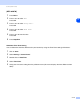
(For MFC-820CW)
1
Press Menu.
2
Press ▲ or ▼ to select LAN.
Press OK.
3
Press ▲ or ▼ to select Factory Reset.
Press OK.
4
Press 1 for Factory Reset.
5
Press 1 for Reboot.