
User`s guide






Control panel setup
4 - 18
4
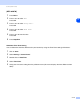
(MFC-820CW)
1
Press Menu.
2
Press ▲ or ▼ to select LAN.
Press OK.
3
Press ▲ or ▼ to select Setup Misc..
Press OK.
4
Press ▲ or ▼ to select Time Zone.
Press OK.
5
Press ▲ or ▼ to enter the time.
Press OK.
6
Press Stop/Exit.
Windows
®
Time Zone Setting
You can determine the time difference for your location by using the Time Zone setting in Windows
®
.
1
Click on Start.
2
Select Settings / Control Panel.
3
Double click on Date/Time.
4
Select Time Zone.
5
Verify your time zone setting from the pull-down menu (this menu displays the time difference from
GMT).