
Network User's Guide

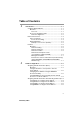
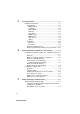
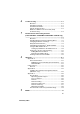
Table Of Contents
- IMPORTANT INFORMATION: REGULATIONS
- Table of Contents
- 1. Introduction
- 2. TCP/IP Configuration
- 3. Front Panel Setup
- 4. Network Printing from Windows® (Peer to Peer)
- 5. Network Printing from Macintosh®
- 6. Troubleshooting
- 7. Brother Internet Fax Printing Software
- Appendix
- INDEX

1 - 1 INTRODUCTION
1
NC9100h_FM6.0
1
Introduction
Computer Network Basics
Overview
The network-connected Brother machine allows multiple computers
to carry out several independent print jobs on one machine.
To use the Brother machine through a network, you need to select a
protocol, configure the Print/Scan server, and set up the computers
you use.
Protocols
Protocols are the standardized sets of rules for transmitting data on
a network. Protocols allow the users to gain access to network-
connected resources.
■ TCP/IP
This is the most popular set of protocols used for communication
such as Internet and E-mail. This protocol can be used in almost
all operating systems such as Windows
®
, Macintosh
®
and Linux.
TCP/IP is suited to a large-scale network and is widely used for
company networks.
TCP/IP is also widely used as the print protocol. The Brother
machine can use the TCP/IP-based protocols such as LPR and
NetBIOS Name Resolution.