
Network User's Guide

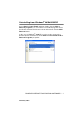
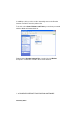
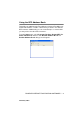
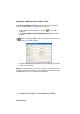
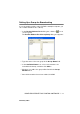
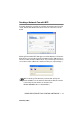
Table Of Contents
- IMPORTANT INFORMATION: REGULATIONS
- Table of Contents
- 1. Introduction
- 2. TCP/IP Configuration
- 3. Front Panel Setup
- 4. Network Printing from Windows® (Peer to Peer)
- 5. Network Printing from Macintosh®
- 6. Troubleshooting
- 7. Brother Internet Fax Printing Software
- Appendix
- INDEX

BROTHER INTERNET FAX PRINTING SOFTWARE 7 - 7
NC9100h_FM6.0
Uninstalling from Windows
®
98/Me/2000/XP
Select Start | Control Panel and then double click the Add or
Remove programs icon. From the list of installed programs select
the Brother Internet Fax Vx.xx as shown below then click the Add/
Remove button.
In the case of Windows
®
2000/XP you also need to remove the
Brother Internet Fax Driver from the Start | Control Panel | Add or
Remove Programs properties.