
Installation Instructions

11
Setting Up
the Machine
Windows
®
Mac OS
®
XMac OS
®
8.6 - 9.2
Windows
®
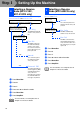
Network
For
Network Users
Macintosh
®
Network
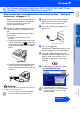
You must record an outgoing message in order to use
the TAD mode.
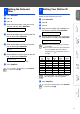
1
Record TAD Outgoing Message (TAD
MESSAGE).
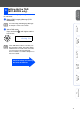
2
Active TAD mode.
Press and hold until it lights and the
LCD shows:
10
Setting Up the TAD
(MFC-620CN only)
See “Recording TAD Outgoing Message”
in Chapter 7 of the User’s Guide.
MC:Msg Ctr
If the TAD Mode is ON, it over rides your
Receive Mode setting. The built-in digital
TAD answers voice calls. If the call is a fax,
you can receive a fax automatically.
For more details, see “TAD” in Chapter 7 of
the User’s Guide.
Light
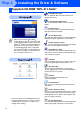
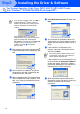
Continue to Step 2, Installing
the Driver & Software