
User`s guide
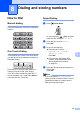
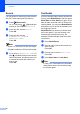
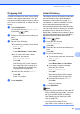
Table Of Contents
- USER’S GUIDE MFC-5890CN MFC-6490CW
- Brother numbers
- Ordering accessories and supplies
- Notice - Disclaimer of Warranties (USA and Canada)
- Compilation and Publication Notice
- Brother® Two-Year Limited Warranty and Replacement Service (USA Only)
- BROTHER MULTIFUNCTION CENTER / FAX MACHINE LIMITED WARRANTY (Canada only)
- Table of Contents
- Section I: General
- 1 General Information
- 2 Loading paper and documents
- 3 General setup
- 4 Security features
- Section II: Fax
- 5 Sending a Fax
- Entering Fax mode
- Broadcasting (Black & White only)
- Additional sending operations
- Sending faxes using multiple settings
- Contrast
- Changing fax resolution
- Dual access (Black & White only)
- Real time transmission
- Overseas Mode
- Delayed Faxing (Black & White only)
- Delayed Batch Transmission (Black & White only)
- Checking and canceling waiting jobs
- Setting your changes as the new default
- Restoring all settings to the factory settings
- Sending a fax manually
- Sending a fax at the end of a conversation
- Out of Memory message
- 6 Receiving a Fax
- 7 Telephone Services and External devices
- Voice operations
- Telephone services
- Connecting an external TAD (telephone answering device)
- External and extension telephones
- 8 Dialing and storing numbers
- 9 Printing Reports
- 10 Polling
- 5 Sending a Fax
- Section III: Copy
- 11 Making copies
- How to copy
- Copy settings
- Changing copy quality
- Enlarging or reducing the image copied
- Making N in 1 copies or a poster (Page Layout)
- Sorting copies using the ADF
- Adjusting Brightness and Contrast
- Paper Options
- Skew Adjustment (MFC-6490CW only)
- Book Copy
- Watermark Copy
- Setting your changes as the new default
- Restoring all settings to the factory settings
- ‘Out of Memory’ message
- 11 Making copies
- Section IV: Walk-up Photo Printing
- Section V: Software
- Section VI: Appendixes
- A Safety and Legal
- Choosing a location
- To use the machine safely
- Important safety instructions
- Standard telephone and FCC Notices (These notices are in effect on models sold and used in the United States only.)
- Federal Communications Commission (FCC) Declaration of Conformity (USA only)
- Industry Canada Compliance Statement (Canada only)
- LAN connection
- International ENERGY STAR® Compliance Statement
- Legal limitations for copying
- Trademarks
- B Troubleshooting and Routine Maintenance
- C Menu and Features
- D Specifications
- E Glossary
- A Safety and Legal
- Index
- brother USA/CAN

Chapter 8
80
Search 8
You can search for names you have stored in
the One Touch and Speed Dial memory.
a Press (Phone Book).
Or, you can press (Fax) and then
press a or b to choose Phone Book.
b Press a or b to choose Search.
Press OK.
c Press a or b to choose
Alphabetical Order or
Numerical Order.
Press OK.
Note
• Press l to make the LCD font size larger.
•Press # to make the LCD font size smaller.
d If you chose Alphabetical Order in
step c, use the dial pad to enter the first
letter of the name, and then press a or b
to choose the name and number you
want to call.
Press OK.
Fax Redial 8
If you are sending a fax manually and the line
is busy, press Redial/Pause, and then press
Black Start or Color Start to try again. If you
want to make a second call to a number you
recently dialed, you can press Redial/Pause
and choose one of the last 30 numbers from
the Outgoing Call List.
Redial/Pause only works if you dialed from
the control panel. If you are sending a fax
automatically and the line is busy, the
machine will automatically redial once after
five minutes.
a Press Redial/Pause.
b Press a or b to choose the number you
want to redial.
Press OK.
c Press a or b to choose Send a fax.
Press OK.
d Press Black Start or Color Start.
Note
In Real Time Transmission the automatic
redial feature does not work when using
the scanner glass.