
Operation Manual






184
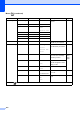
Scan to Media
(when a memory
card or USB
Flash memory
drive is inserted)
Quality —
Color 150 dpi
*
Color 300 dpi
Color 600 dpi
B/W 200x100 dpi
B/W 200 dpi
You can choose the scan
resolution, file format and
enter a file name for your
document.
114
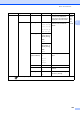
File Type — (If you chose
colour option in
Quality setting)
PDF*
JPEG
(If you chose
Mono option in
Quality setting)
PDF*
TIFF
Glass Sca nSize
(MFC-6490CW)
— A4*
A3
Letter
Legal
Ledger
Sets the glass scan size to
Scan.
116
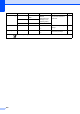
File Name — — You can rename the file. 116
Set New Default
— Yes
No
You can save your scan
settings.
116
Factory R eset — Yes
No
You can restore all settings to
the factory settings.
116
Level1 Option1 Option2 Option3 Descriptions Page
The factory settings are shown in Bold with an asterisk.