
User Manual


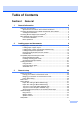
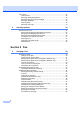
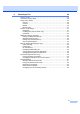

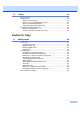

Table Of Contents
- USER’S GUIDEMFC-5890CN MFC-6490CW
- Approval Information and Compilation and Publication Notice
- Table of Contents
- Section I General
- 1 General Information
- 2 Loading paper and documents
- 3 General setup
- 4 Security features
- Section II Fax
- 5 Sending a Fax
- Entering Fax mode
- Broadcasting (Monochrome only)
- Additional sending operations
- Sending faxes using multiple settings
- Contrast
- Changing fax resolution
- Dual access (Monochrome only)
- Real time transmission
- Overseas Mode
- Delayed Faxing (Monochrome only)
- Delayed Batch Transmission (Monochrome only)
- Checking and cancelling waiting jobs
- Setting your changes as a new default
- Restoring all settings to the factory settings
- Sending a fax manually
- Out of Memory message
- 6 Receiving a Fax
- 7 Telephone and External devices
- 8 Dialling and storing numbers
- 9 Printing Reports
- 10 Polling
- 5 Sending a Fax
- Section III Copy
- 11 Making copies
- How to copy
- Copy settings
- Changing copy speed and quality
- Enlarging or reducing the image copied
- Making N in 1 copies or a poster (Page Layout)
- Sorting copies using the ADF
- Adjusting Brightness and Contrast
- Paper Options
- Skew Adjustment (MFC-6490CW only)
- Book Copy
- Watermark Copy
- Setting your changes as a new default
- Restoring all settings to the factory settings
- ‘Out of Memory’ message
- 11 Making copies
- Section IV Direct Photo Printing
- Section V Software
- Section VI Appendixes
- A Safety and Legal
- B Troubleshooting and Routine Maintenance
- C Menu and Features
- D Specifications
- E Glossary
- Index
- brother CHN-ENG

v
10 Polling 83
Polling overview...................................................................................................83
Polling receive .....................................................................................................83
Setup to receive polling .................................................................................83
Setup to receive polling with secure code ..................................................... 83
Setup to receive delayed polling....................................................................83
Sequential polling (Monochrome only) ..........................................................84
Polled transmit (Monochrome only) .....................................................................85
Setup for polled transmit................................................................................85
Setup for polled transmit with secure code....................................................85
Section III Copy
11 Making copies 88
How to copy .........................................................................................................88
Entering Copy mode......................................................................................88
Making a single copy ..................................................................................... 88
Making multiple copies ..................................................................................88
Stop copying..................................................................................................88
Copy settings .......................................................................................................89
Changing copy speed and quality .................................................................89
Enlarging or reducing the image copied ........................................................89
Making N in 1 copies or a poster (Page Layout) ..........................................90
Sorting copies using the ADF ........................................................................92
Adjusting Brightness and Contrast ................................................................92
Paper Options................................................................................................93
Skew Adjustment (MFC-6490CW only).........................................................94
Book Copy ..................................................................................................... 94
Watermark Copy............................................................................................95
Setting your changes as a new default..........................................................96
Restoring all settings to the factory settings .................................................. 96
‘Out of Memory’ message....................................................................................97