
User Manual
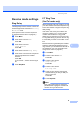

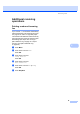
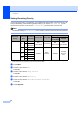

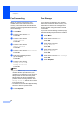
Table Of Contents
- USER’S GUIDEMFC-5890CN MFC-6490CW
- Approval Information and Compilation and Publication Notice
- Table of Contents
- Section I General
- 1 General Information
- 2 Loading paper and documents
- 3 General setup
- 4 Security features
- Section II Fax
- 5 Sending a Fax
- Entering Fax mode
- Broadcasting (Monochrome only)
- Additional sending operations
- Sending faxes using multiple settings
- Contrast
- Changing fax resolution
- Dual access (Monochrome only)
- Real time transmission
- Overseas Mode
- Delayed Faxing (Monochrome only)
- Delayed Batch Transmission (Monochrome only)
- Checking and cancelling waiting jobs
- Setting your changes as a new default
- Restoring all settings to the factory settings
- Sending a fax manually
- Out of Memory message
- 6 Receiving a Fax
- 7 Telephone and External devices
- 8 Dialling and storing numbers
- 9 Printing Reports
- 10 Polling
- 5 Sending a Fax
- Section III Copy
- 11 Making copies
- How to copy
- Copy settings
- Changing copy speed and quality
- Enlarging or reducing the image copied
- Making N in 1 copies or a poster (Page Layout)
- Sorting copies using the ADF
- Adjusting Brightness and Contrast
- Paper Options
- Skew Adjustment (MFC-6490CW only)
- Book Copy
- Watermark Copy
- Setting your changes as a new default
- Restoring all settings to the factory settings
- ‘Out of Memory’ message
- 11 Making copies
- Section IV Direct Photo Printing
- Section V Software
- Section VI Appendixes
- A Safety and Legal
- B Troubleshooting and Routine Maintenance
- C Menu and Features
- D Specifications
- E Glossary
- Index
- brother CHN-ENG

Receiving a Fax
53
6
Additional receiving
operations 6
Printing a reduced incoming
fax 6
If you choose On, the machine automatically
reduces each page of an incoming fax to fit on
one page of A4, Letter or Legal size paper.
The machine calculates the reduction ratio by
using the page size of the fax and your Paper
Size setting. (See Paper Size and Type
(MFC-5890CN only) on page 27 or Paper
Size and Type (MFC-6490CW only)
on page 28.)
a Press Menu.
b Press a or b to choose Fax.
Press OK.
c Press a or b to choose
Setup Receive.
Press OK.
d Press a or b to choose
Auto Reduction.
e Press d or c to choose On (or Off).
Press OK.
f Press Stop/Exit.