
User Manual


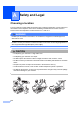

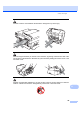
Table Of Contents
- USER’S GUIDEMFC-5890CN MFC-6490CW
- Approval Information and Compilation and Publication Notice
- Table of Contents
- Section I General
- 1 General Information
- 2 Loading paper and documents
- 3 General setup
- 4 Security features
- Section II Fax
- 5 Sending a Fax
- Entering Fax mode
- Broadcasting (Monochrome only)
- Additional sending operations
- Sending faxes using multiple settings
- Contrast
- Changing fax resolution
- Dual access (Monochrome only)
- Real time transmission
- Overseas Mode
- Delayed Faxing (Monochrome only)
- Delayed Batch Transmission (Monochrome only)
- Checking and cancelling waiting jobs
- Setting your changes as a new default
- Restoring all settings to the factory settings
- Sending a fax manually
- Out of Memory message
- 6 Receiving a Fax
- 7 Telephone and External devices
- 8 Dialling and storing numbers
- 9 Printing Reports
- 10 Polling
- 5 Sending a Fax
- Section III Copy
- 11 Making copies
- How to copy
- Copy settings
- Changing copy speed and quality
- Enlarging or reducing the image copied
- Making N in 1 copies or a poster (Page Layout)
- Sorting copies using the ADF
- Adjusting Brightness and Contrast
- Paper Options
- Skew Adjustment (MFC-6490CW only)
- Book Copy
- Watermark Copy
- Setting your changes as a new default
- Restoring all settings to the factory settings
- ‘Out of Memory’ message
- 11 Making copies
- Section IV Direct Photo Printing
- Section V Software
- Section VI Appendixes
- A Safety and Legal
- B Troubleshooting and Routine Maintenance
- C Menu and Features
- D Specifications
- E Glossary
- Index
- brother CHN-ENG

126
A
Choosing a location A
Put your machine on a flat, stable surface that is free of vibration and shocks, such as a desk. Put
the machine near a telephone socket and a standard grounded electrical socket. Choose a
location where the temperature remains between 10° C and 35° C.
WARNING
DO NOT put the machine near heaters, air conditioners, refrigerators, medical equipment,
chemicals or water.
DO NOT connect your machine to electrical sockets on the same circuit as large appliances or
other equipment that might disrupt the power supply.
CAUTION
• Avoid placing your machine in a high-traffic area.
• Avoid placing your machine on a carpet.
• DO NOT expose the machine to direct sunlight, excessive heat, moisture, or dust.
• DO NOT connect your machine to electrical sockets controlled by wall switches or automatic
timers.
• Disruption of power can wipe out information in the machine's memory.
• Avoid interference sources, such as other cordless telephone systems or speakers.
• DO NOT tip the machine, or place it on any tilted surface. Doing this may cause ink spillage
and internal damage to your machine.
Safety and Legal A