
Quick Setup Guide
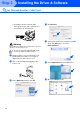
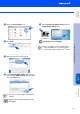
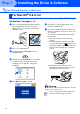
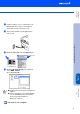
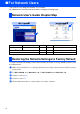
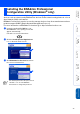
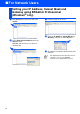
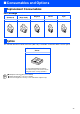

Table Of Contents
- Quick Setup Guide MFC-5440CN/MFC-5840CN
- Getting Started
- Table of Contents
- Step1 Setting Up the Machine
- 1 Removing the Protective Parts
- 2 Loading Paper
- 3 Installing the Phone Line and Power Cord
- 4 Installing the Ink Cartridges
- 5 Print Quality Check
- 6 Setting the Date and Time
- 7 Setting Your Station ID
- 8 Selecting a Receive Mode
- 9 Selecting Your Language (Canada only)
- 10 Sending in the Product Registration and Test Sheet (USA only)
- Step2 Installing the Driver & Software
- For Network Users
- Consumables and Options
- brother USA
