
Quick Setup Guide

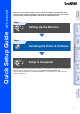


Table Of Contents
- Quick Setup Guide
- Quick Setup Guide
- Ръководство за Бързо Инсталиране
- Стъпка1 Инсталация на устройството
- Стъпка2 Инсталиране на драйвера и софтуера
- За потребители в компютърна мрежа
- Ghid rapid de setare
- Pasul1 Instalarea şi configurarea echipamentului
- Pasul2 Instalarea driverului şi a software-ului
- Pentru utilizatorii de reţea

1
Before you can use the machine, you must set up the hardware and install the driver.
To help you get started in setting up the machine and installing the driver and software,
please read this “Quick Setup Guide” and follow the simple instructions.
For the latest drivers and to find the best solution for your problem or question, access the Brother
Solutions Center directly from the driver or go to http://solutions.brother.com
Keep this “Quick Setup Guide” supplied CD-ROM in a convenient place for quick and easy
reference at all times.
Step 1
Setting Up the Machine
Step 2
Installing the Driver & Software
Setup is Complete!
Installing the Driver & Software
Setting Up
the Machine
Windows
®
Mac OS
®
XMac OS
®
8.6 - 9.2
Windows
®
Network
Macintosh
®
Network
For
Network Users
MFC-5440CN
Quick Setup Guide